
Tag: PLM
-
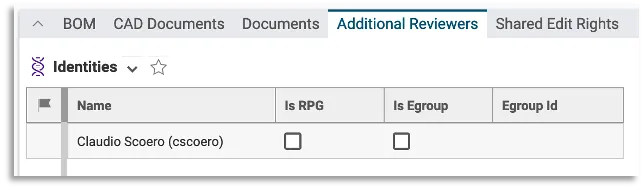
How to define the list of Additional Reviewers on a given Part ?
How to define the list of Additional Reviewers on a given Part ? You can define the additional reviewers in the "Additional Reviewers" tab of the Part: Once the Part is collected by a Design Verification workflow, this will automatically assign them a control activity that must be validated to complete the workflow successfully. Be
-

How to define the Approval Group responsible for the old CDD Control 3 / Approval Process ?
How to define the Approval Group responsible for the old CDD Control 3 / Approval Process ? In case the Control Rule defined on the Design Code set on the Root Object is “QAC A”, the “Review by Approval Group” workflow activity is mandatory, and the system automatically suggests you the Approval Group to use.
-
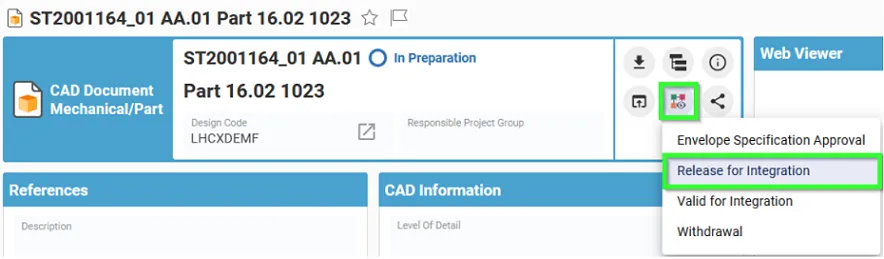
How to create and launch the Release For Integration Workflow?
How to create and launch the Release For Integration Workflow? The Release For Integration Workflow can be created from a CAD Document. There are few basics pre-requirements that the CAD Document must fulfill: In the Profile Card of a given CAD Document, the workflow can be created by selecting the "Create New Workflow" button. Then
-

How to define the assignees of the Design Verification workflow control activities ?
How to define the assignees of the Design Verification workflow control activities ? The workflow initiator has to select the people in charge of the “Design Documentation Check” and “Part Design Approval” activities from the “Reviewers” tab, available from the Design Verification workflow profile card. Design Documentation Check: to be assigned to users holding the
-

How to define the set of data that needs to be approved by the Design Verification Workflow?
How to define the set of data that needs to be approved by the Design Verification Workflow? Root Objects represent the set of data you want to approve. In case you created the Design Verification workflow from the Part profile card, this Part is automatically added as Root Object of the workflow. It is possible
-
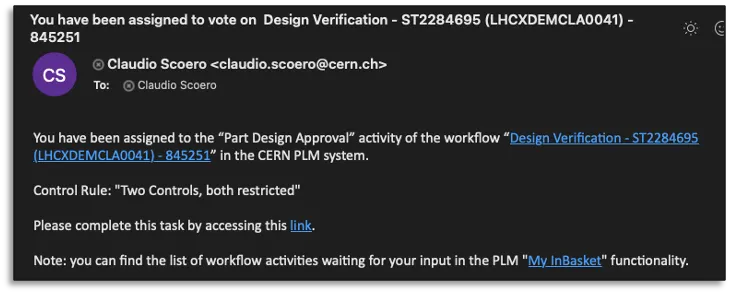
How to perform the CDD Control 2 in the PLM?
How to perform the CDD Control 2 in the PLM? The CDD Control 2 corresponds to the Part Design Approval activity in the new PLM platform. The assignee of this control activity receives a notification email containing the direct link to the workflow object. Steps: Complete documentation: Design Verification Workflow FAQ
-
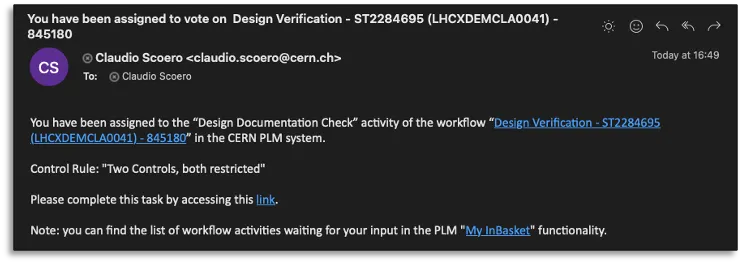
How to perform the CDD Control 1 in the PLM?
How to perform the CDD Control 1 in the PLM? The CDD Control 1 corresponds to the Design Documentation Check activity in the new PLM platform. The assignee of this control activity receives a notification email containing the direct link to the workflow object. Steps: Complete documentation: Design Verification Workflow FAQ
-

What is the concept of the Release by Integration Workflow?
What is the concept of the Release by Integration Workflow? The Release by Integration Workflow is used to validate an Integration Assembly. This workflow operated on the Integration CAD Structure only, meaning the Integration Assembly itself and all its CAD Dependencies if it has a valid lifecycle state (Approved, Released or Replaced). Once we identify
-

How to delete a file or document from a pending job in Batch Import?
How to delete a file or document from a pending job in Batch Import? If the Batch Import has not yet been launched and the job is still "In Preparation", it can be edited (by clicking on the "Edit" button at the top of the Profile Card). Go to the relationship grid at the bottom
-
How to add new files to a pending job or modify the metadata in Batch Import?
How to add new files to a pending job or modify the metadata in Batch Import? If the Batch Import has not yet been launched and the job is still "In Preparation", it can be edited (by clicking on the "Edit" button at the top of the Profile Card). Then the new files can be