
Tag: PLM
-
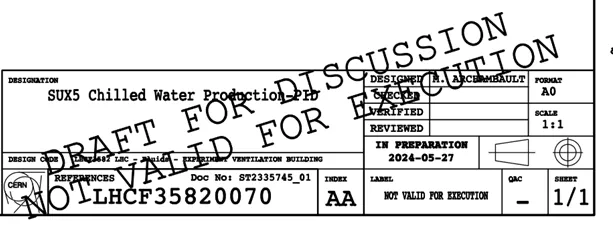
What is the difference between the regular Titleblock stamp and the Mini stamp?
What is the difference between the regular Titleblock stamp and the Mini stamp? Regular Titleblock stamp: Case 1: you are working at CERN with an official CAD tool and a PLM Connector (ex: BricsCAD, CATIA etc…). Thus, you must generate an official CERN Titleblock on your Drawing prior to validating it. Then when a Design
-
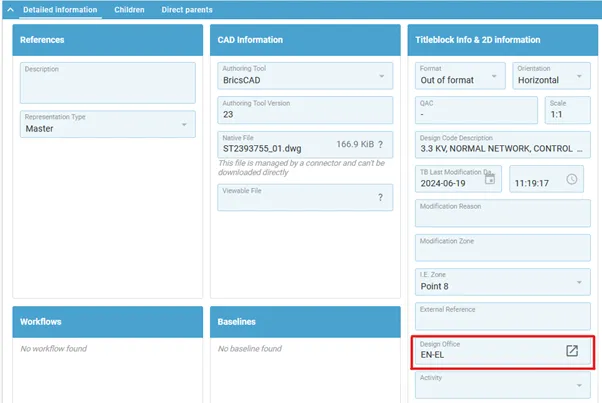
How is the position of the mini stamp defined?
How is the position of the mini stamp defined? The position of the mini stamp is defined via the “Design Office” property, that sets a specific position for the mini stamp for each drawing format (A0, A1…). As a result, this property becomes mandatory and must be filled for any Drawing that is not Connector
-
How to save a new CAD document in the PLM from CATIA?
How to save a new CAD document in the PLM from CATIA? The first part of the FAQ linked below will show you a quick method of saving a CAD document without dependencies, like a CATPart. The second, more detailed section will describe how to save a structure where the files are linked to each
-

How to update a BOM in the PLM?
How to update a BOM in the PLM? The PLM uses an automatic engineering BOM (EBOM). This means every time you save an assembly the BOM will be created/updated on each ‘claimed’ or ‘new’ assembly node. The BOM uses the positions and quantities of the instances in the CATIA tree, using a top-down approach. Please
-
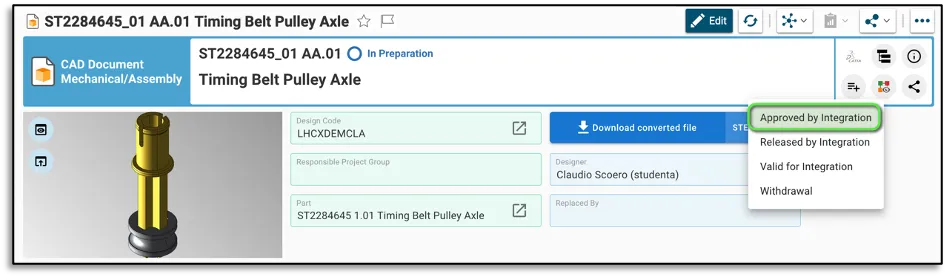
How to create and launch the Approved By Integration Workflow?
How to create and launch the Approved By Integration Workflow? The Approved By Integration Workflow can be created from the CAD Document profile card. There are few basic pre-requirements that the CAD Document must fulfil: – The CAD Document needs to be in “In Preparation” lifecycle state. – A Design Code needs to be assigned
-
What is the concept of the Approved By Integration Workflow?
What is the concept of the Approved By Integration Workflow? The Approved by Integration Workflow is used to approve Conceptual Drawings and 3D Models, or the envelope of a given equipment. Its aim is the validation of positions related to functions and beam line equipment, plus reserving space for the development of future equipment. This
-
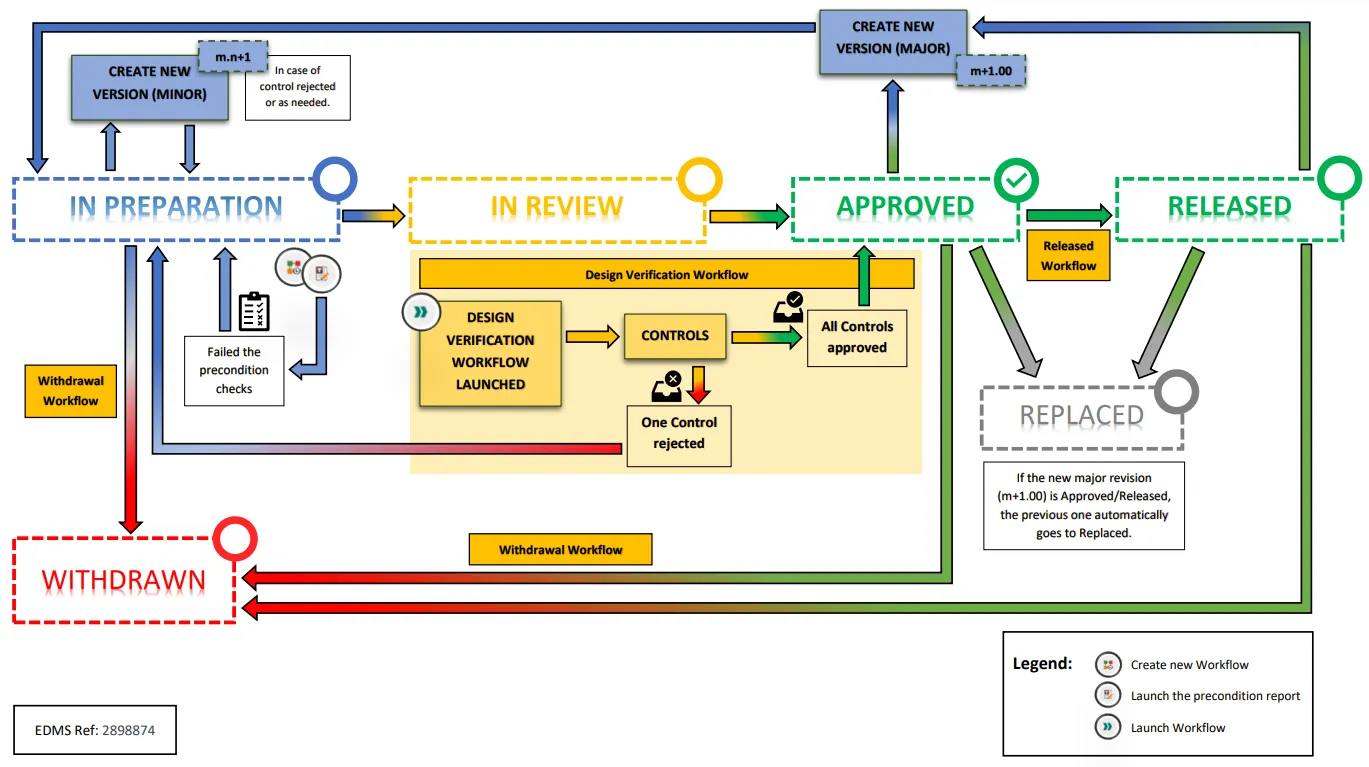
What is the overview of the PLM “ISO Lifecycle and Workflow” implementation?
What is the overview of the PLM “ISO Lifecycle and Workflow” implementation? The image below shows the overview of the PLM "ISO Lifecycle and Workflow" implementation. PDF Version: PLM ISO Lifecycle and Workflows
-
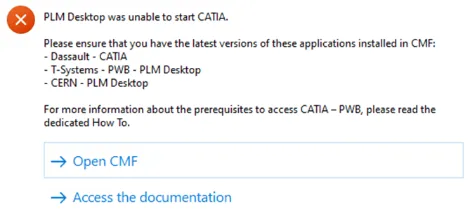
How to get started with CATIA / PLM at CERN
How to get started with CATIA / PLM at CERN Please follow the necessary training before using the PLM. You can access the training and learning path here, this will help you identify what training is necessary for you depending on your previous experience and knowledge. Training on the CATIA-PLM connector (PWB) is a prerequisite
-
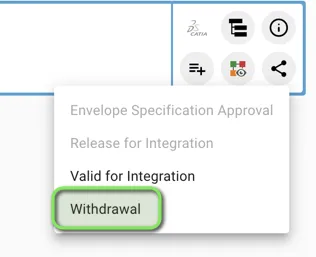
How to create and launch the Withdrawal workflow? (Withdrawn state)
How to create and launch the Withdrawal workflow? (Withdrawn state) The Withdrawal Workflow can be created from the Profile Card of Parts, CAD Documents and Documents. You can then generate the "Precondition Report" that checks the following pre-requirements: 1. You must hold at least one of the following Roles in the Design Code set on
-
What is the concept of the Withdrawal workflow?
What is the concept of the Withdrawal workflow? The Withdrawal workflow is used to withdraw a Part (and all its content), a single CAD Document or a single Document. According to ISO standards, once withdrawn, an object is no longer available as an active object. A withdrawn version of an object must no longer be