
Tag: PLM – Workflow & Lifecycle
-
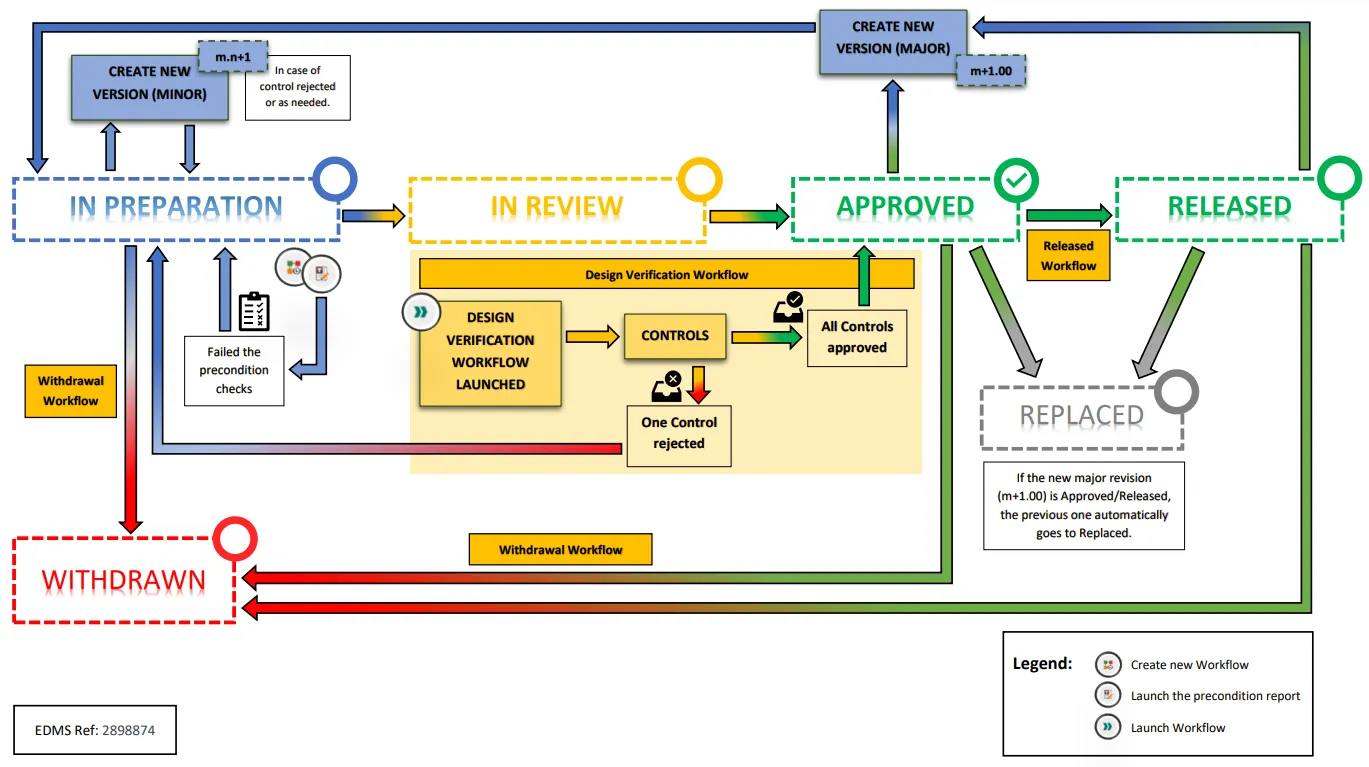
What is the overview of the PLM “ISO Lifecycle and Workflow” implementation?
What is the overview of the PLM “ISO Lifecycle and Workflow” implementation? The image below shows the overview of the PLM "ISO Lifecycle and Workflow" implementation. PDF Version: PLM ISO Lifecycle and Workflows
-
How to version non-connector-managed CAD documents?
How to version non-connector-managed CAD documents? Manually imported CAD documents cannot be versioned automatically via a connector. Versioning must therefore be done manually in the PLM once the necessary modifications have been made to the CAD document. The process to follow can be found in the following documentation More: FAQ Versioning of non-connector-managed CAD documents
-
Subgroup: Lifecycle States & Versions
Subgroup: Lifecycle States & Versions Below is a group of How-to's that are related to the topic of 'Lifecycle States & Versions' in the PLM – Workflow & Lifecycle subcategory. Click on their links to find more information on these topics.
-
Subgroup: Checking Workflows
Subgroup: Checking Workflows Below is a group of How-to's that are related to the topic of 'Checking Workflows' in the PLM – Workflow & Lifecycle subcategory. Click on their links to find more information on these topics.
-
Subgroup: The Concept of Different Workflows
Subgroup: The Concept of Different Workflows Below is a group of How-to's that are related to the topic of 'The Concept of Different Workflows' in the PLM – Workflow & Lifecycle subcategory. Click on their links to find more information on these topics.
-
Subgroup: Creating Workflows
Subgroup: Creating Workflows Below is a group of How-to's that are related to the topic of 'Creating Workflows' in the PLM – Workflow & Lifecycle subcategory. Click on their links to find more information on these topics. General: Design Collection & Drafts Container: Drawing Workflows: Fast Track Workflow: Baseline: Integration:
-
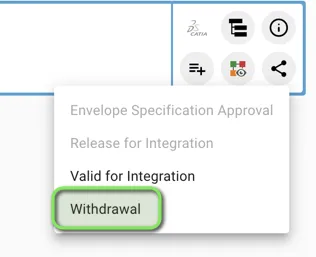
How to create and launch the Withdrawal workflow? (Withdrawn state)
How to create and launch the Withdrawal workflow? (Withdrawn state) The Withdrawal Workflow can be created from the Profile Card of Parts, CAD Documents and Documents. You can then generate the "Precondition Report" that checks the following pre-requirements: 1. You must hold at least one of the following Roles in the Design Code set on
-
What is the concept of the Withdrawal workflow?
What is the concept of the Withdrawal workflow? The Withdrawal workflow is used to withdraw a Part (and all its content), a single CAD Document or a single Document. According to ISO standards, once withdrawn, an object is no longer available as an active object. A withdrawn version of an object must no longer be
-
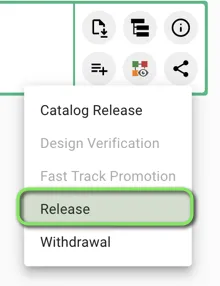
How to create the Release workflow?
How to create the Release workflow? The Release Workflow can be created from the Part Profile Card. You can then generate the "Precondition Report" that checks the following pre-requirements: If all them are fulfilled, you can launch the Workflow that will make the lifecycle state of the Part evolving to Released. Complete documentation: Release Workflow
-
What is the concept of the Release workflow?
What is the concept of the Release workflow? The Release workflow is used to declare that a given Part (and its BOM) is allowed to be used for its intended purpose, meaning that the required item function has been validated. A Part should be Released when the first asset created from this design is accepted.