
Tag: CATIA-PLM Connector (PWB)
-
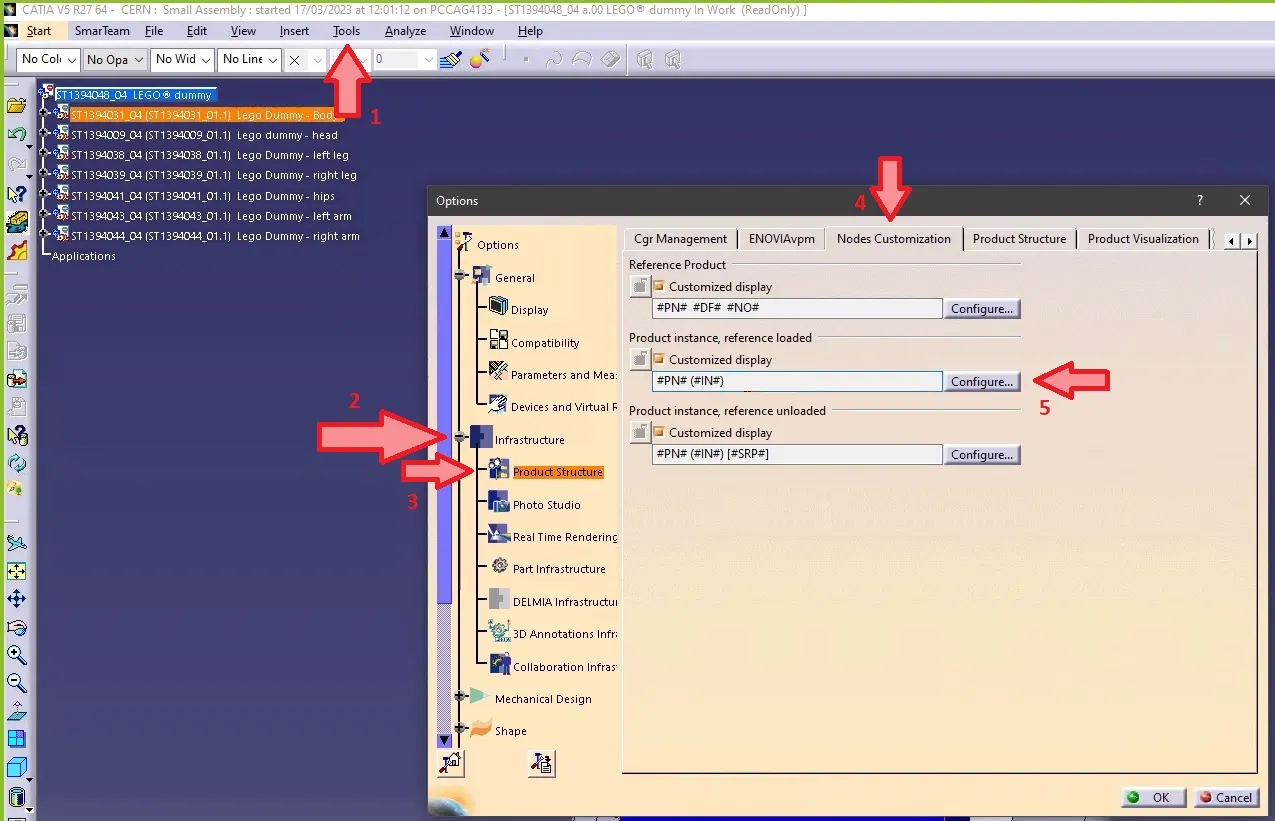
How to make the definition visible in CATIA tree when working with files not stored in PLM?
How to make the definition visible in CATIA tree when working with files not stored in PLM? Note 1: if in the same CATIA session, you visualize another product structure from the PLM, the Definition will appear twice. Note 2: if you want to keep this setting by default for your future CATIA sessions, you
-
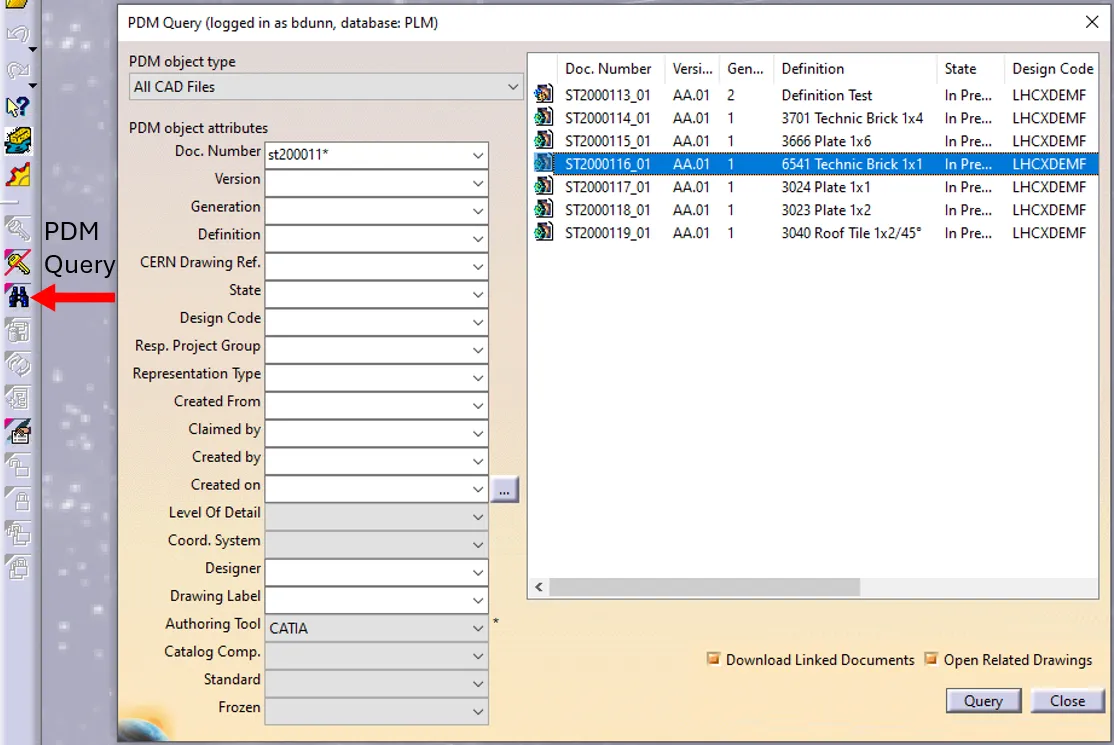
How to open a CAD document from CATIA using the connector?
How to open a CAD document from CATIA using the connector? In CATIA, from the connector toolbar, clicking on the Query icon, you will be able to access the PDM Query dialog and to search for any CAD document previously uploaded to the PLM platform. Once the searched CAD Document has been found and selected,
-
How to install CATIA and the connector?
How to install CATIA and the connector? Access to the CATIA connector is granted on request, therefore if you have not already done so please complete this form to work with CATIA. Prior to granting you access, we would ask for you to complete the relevant training, please see a link to the learning path
-

How to access CATIA via the PLM?
How to access CATIA via the PLM? To access CATIA via the PLM please press the CATIA icon in the top right of the dashboard screen. Access to the CATIA connector is granted on request, therefore if you have not already done so please complete this form to work with CATIA. Prior to granting you
-

How to compare 2 different revisions of a document?
How to compare 2 different revisions of a document? Please note the FAQ referred to in this how-to is under review. The first 3 sections of this FAQ refer to the methodology for Smt. For the required methodology for the PLM please refer to page 19 of this FAQ . Section 4 is relevant for