
Tag: CATIA-PLM Connector (PWB)
-
PLM/PWB/CAD known issues and workarounds
PLM/PWB/CAD known issues and workarounds There are some known issues when working with the PLM and PWB CATIA connector. Whilst we are working on a resolution we have documented them at the link here, along with our suggested workarounds. We have also documented any known CAD issues and potential workarounds. These have been reported to
-

How to preview a CAD document in CATIA from the PLM?
How to preview a CAD document in CATIA from the PLM? If you require to quickly review a 3D CATIA model it may be advantageous to use the 'preview in CATIA' command. This will open documents much faster compared to the standard method of opening native files in CATIA, or even opening the converted STEP
-
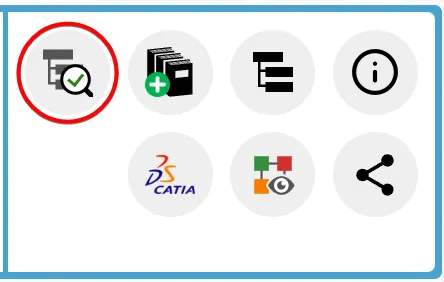
How to check if a document is ‘current’?
How to check if a document is ‘current’? Its important to know if your CAD structure contains 'non latest' versions of CAD Documents, especially if you need to work with the latest data, while the latest data might be available in SmarTeam only. Within the PLM and CATIA connector there are various ways you can
-
What’s the difference between the different CATIA configurations?
What’s the difference between the different CATIA configurations? There are three main different CATIA configurations that can be selected from the drop down in the CATIA launcher menu, small, large and equipment systems. Below details the main differences in their set up: More: Getting started with CATIA / PLM at CERN FAQ
-
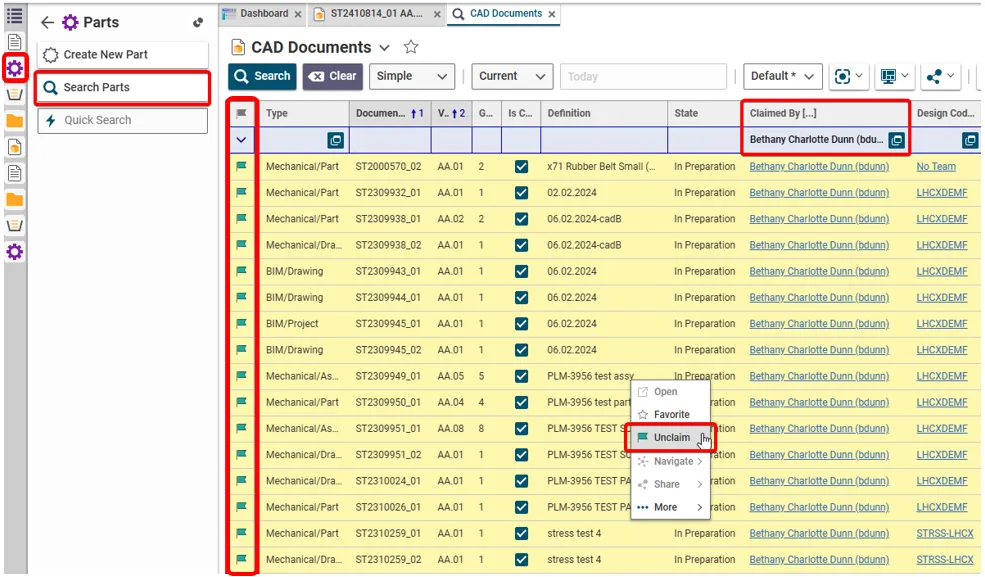
How to retrieve and unclaim all my Parts/Documents in one operation?
How to retrieve and unclaim all my Parts/Documents in one operation? There are two ways of retrieving all the objects that you have claimed. To unclaim all the objects in one go, use method 2 and highlight the results. (Press and hold the Ctrl key to select individual results. Alternatively, select a result then hold
-
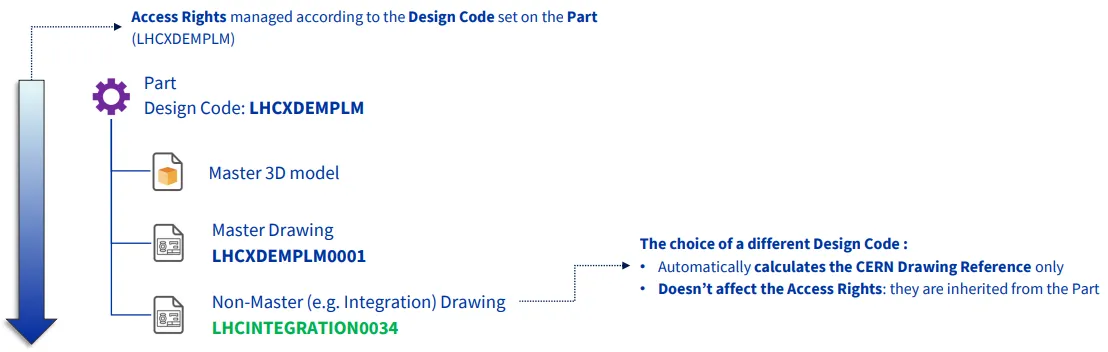
How to add a CERN Drawing Reference (CDR) to a non master drawing that is different to the design code on the parent part?
How to add a CERN Drawing Reference (CDR) to a non master drawing that is different to the design code on the parent part? The CERN Drawing reference (CDR) on a drawing is usually generated from the Design Code applied to its parent Part. However, on non-master drawings only, it is possible to apply a
-
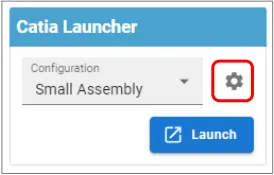
How to save customised CATIA & PWB settings?
How to save customised CATIA & PWB settings? CATIA customised settings, such as shortcuts, can be saved in the PLM dashboard to be used when CATIA is reopened. This is also true for PWB setting changed in the options toolbar. To save new customised settings, close the CATIA session in which the changes were made.
-
Subgroup: Other
Subgroup: Other Below are the remaining How-to's that are not present in other subgroups in the CATIA-PLM connector (PWB) category. Click on their links to find more information on these topics.
-
Subgroup: BOM
Subgroup: BOM Below is a group of How-to's that are related to the topic of 'BOM' in the CATIA-PLM connector (PWB) category. Click on their links to find more information on these topics.
-
Subgroup: Opening & Saving
Subgroup: Opening & Saving Below is a group of How-to's that are related to the topic of 'Opening & Saving' in the CATIA-PLM connector (PWB) category. Click on their links to find more information on these topics.