
Tag: PLM – Getting Started
-
What are the PLM Acronyms?
What are the PLM Acronyms? Below is a list of acronyms that are used in relation to the PLM. See the list of CATIA Acronyms here. See the list of SmarTeam Acronyms here.
-
Subgroup: Other
Subgroup: Other Below are the remaining How-to's that are not present in other subgroups in the PLM – Other subcategory. Click on their links to find more information on these topics.
-
Subgroup: Search, Navigation & Open
Subgroup: Search, Navigation & Open Below is a group of How-to's that are related to the topic of 'Search, Navigation & Open' in the PLM – Getting Started subcategory. Click on their links to find more information on these topics.
-
Subgroup: Installation & Access
Subgroup: Installation & Access Below is a group of How-to's that are related to the topic of 'Installation & Access' in the PLM – Getting Started subcategory. Click on their links to find more information on these topics.
-
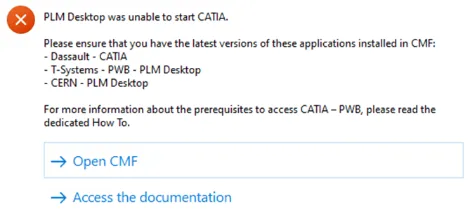
How to get started with CATIA / PLM at CERN
How to get started with CATIA / PLM at CERN Please follow the necessary training before using the PLM. You can access the training and learning path here, this will help you identify what training is necessary for you depending on your previous experience and knowledge. Training on the CATIA-PLM connector (PWB) is a prerequisite
-
What is the concept of a Part?
What is the concept of a Part? The Parts are the group of responsible objects for storing all engineering information related to the equipment like 2D, 3D or other documents and files. However, the Part does not contain any files: the files must be attached to the CAD or non-CAD Documents. In the PLM Platform
-
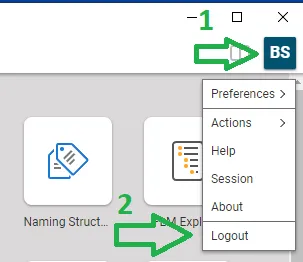
How to log-out from PLM?
How to log-out from PLM? To log-out from PLM Desktop you need to click on the button that represents your account (step 1) and use the "Logout" (2). Then you need to wait for confirmation window that appears and validate.
-
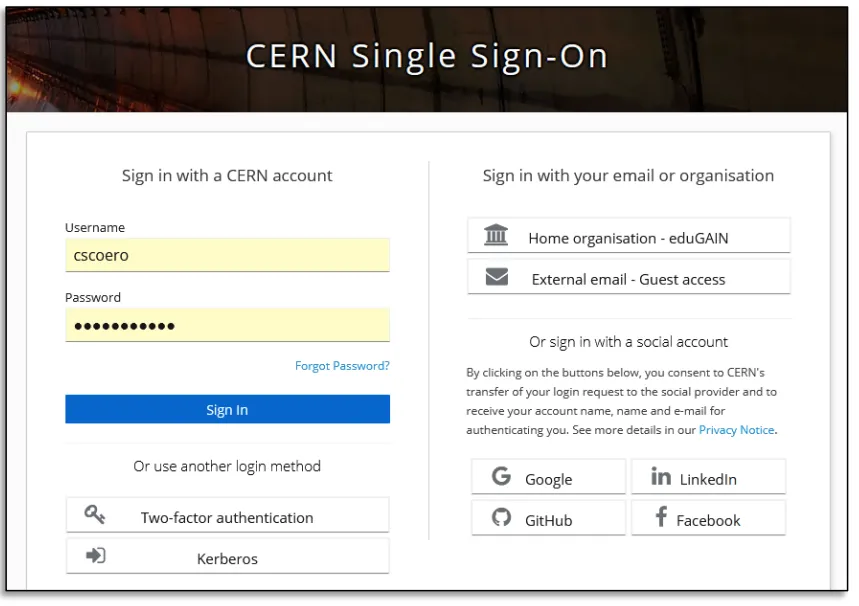
How to access to the PLM?
How to access to the PLM? CERN account holders can access the PLM with their nice CERN account.
-
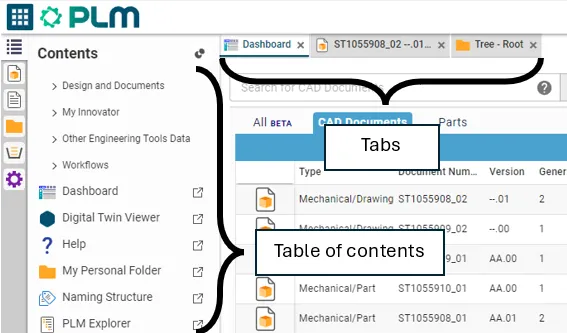
How to navigate in the PLM platform?
How to navigate in the PLM platform? The platform has a table of contents (TOC) on the left hand side. From here you can find all the options to navigate through the PLM to search and create objects. The platform is navigated using tabs. Every time you open a document, a search or a link,
-

How to use the simple search in PLM?
How to use the simple search in PLM? There are several ways to access the search page, if you want to know more about this procedure, please follow the document below (page 7). Search Navigation and preferences in the PLM See other ‘searching’ how-tos here