
Tag: PLM – General
-
What is the significance of the different roles within a Design Code?
What is the significance of the different roles within a Design Code? Design Codes are used within the PLM to grant users access rights to documents. Within a Design Code there are different roles, which provide different access rights. A user can hold more than one type of role within a single Design Code. Role
-
What are the official supported web browsers for PLM?
What are the official supported web browsers for PLM? The PLM can be opened through the Desktop app or in a web browser. The table below details the supported web browsers for different operating systems. Operating System Supported Browsers Windows 10 • Edge • Firefox 78 ESR or 91 ESR • Chrome 103 (minimum) Windows
-
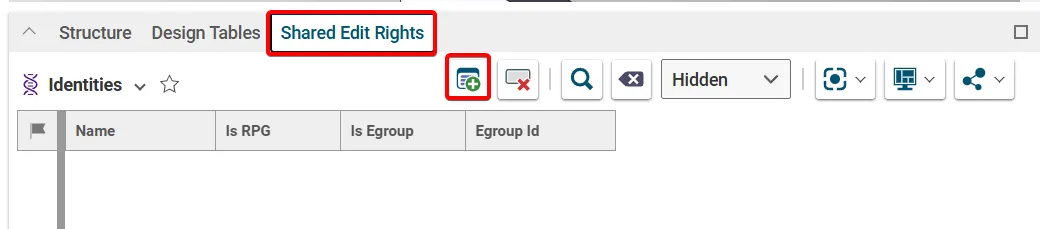
How to grant a user access to a specific document? (Shared edit rights)
How to grant a user access to a specific document? (Shared edit rights) Edit rights to a document is controlled via its Design Code and Responsible Project Group (RPG), which is set on its Parent Part. If a colleague requires edit rights to all the documents with one of these attributes, they should request access
-
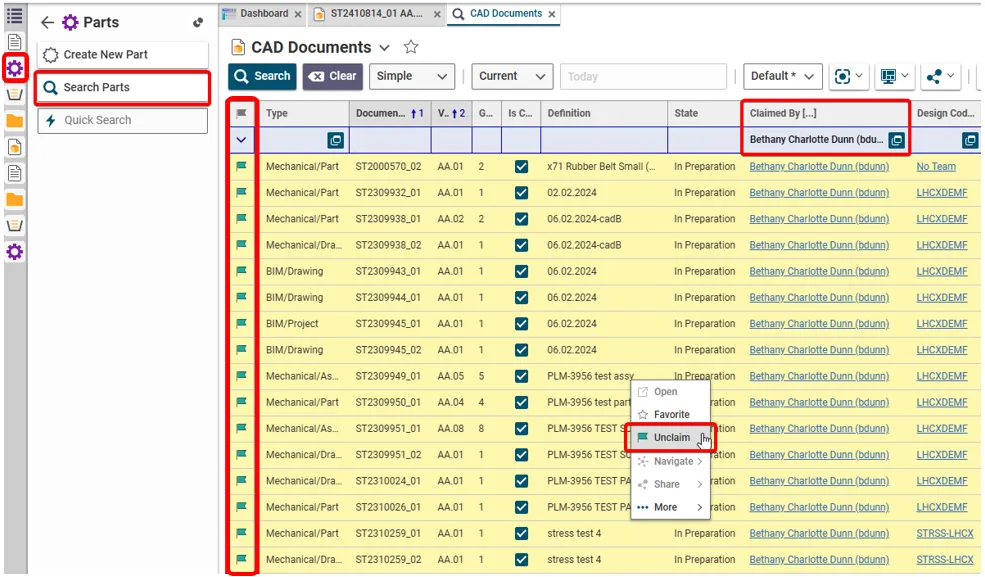
How to retrieve and unclaim all my Parts/Documents in one operation?
How to retrieve and unclaim all my Parts/Documents in one operation? There are two ways of retrieving all the objects that you have claimed. To unclaim all the objects in one go, use method 2 and highlight the results. (Press and hold the Ctrl key to select individual results. Alternatively, select a result then hold
-
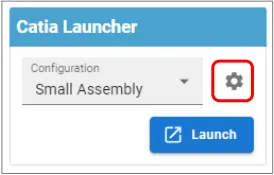
How to save customised CATIA & PWB settings?
How to save customised CATIA & PWB settings? CATIA customised settings, such as shortcuts, can be saved in the PLM dashboard to be used when CATIA is reopened. This is also true for PWB setting changed in the options toolbar. To save new customised settings, close the CATIA session in which the changes were made.
-
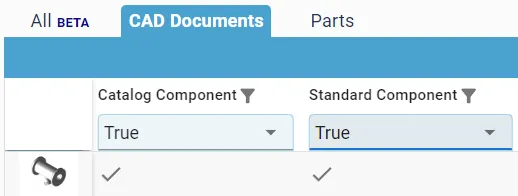
How to identify and search for ‘Standard’ and ‘Catalog’ components?
How to identify and search for ‘Standard’ and ‘Catalog’ components? Some objects are classified as either Catalog or/and Standard components. All standard components are Catalog Components, but not all Catalog Components are Standard. Both types are components that can be bought from a supplier catalog, as apposed to specifically designed for a CERN project. However,
-
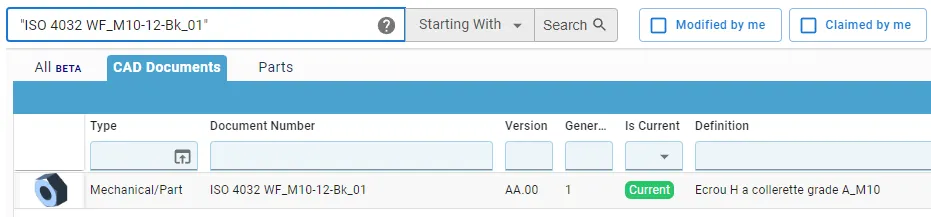
How to search for documents with a space in the name?
How to search for documents with a space in the name? Short answer: When searching in the global search box on the dashboard, you must put document numbers containing a space in quotation marks. Long answer: CAD Documents can be searched for either in the Dashboard or the dedicated CAD Document search window. In both
-
What are the meanings of the CATIA & PLM Icons?
What are the meanings of the CATIA & PLM Icons? Icons are used throughout the PLM and in the CATIA specification tree to quickly convey information. See the documentation below to find the explanation of each icon. More: FAQ
-
How to access the PLM training?
How to access the PLM training? Before working in the PLM please follow the available training material depending on your usage and requirements. The trainings can be found here.
-
How is metadata managed between the PLM and CATIA?
How is metadata managed between the PLM and CATIA? A CAD document is made up of data, metadata. Some of this comes from CATIA such as the geometry, mass and material. Some of it comes from the PLM, Design code and RPG. Two pieces of metadata can be changed in both the PLM and CATIA,