
Category: How To
-
Subgroup: Other
Subgroup: Other Below are the remaining How-to's that are not present in other subgroups in the PLM – Other subcategory. Click on their links to find more information on these topics.
-
Subgroup: Search, Navigation & Open
Subgroup: Search, Navigation & Open Below is a group of How-to's that are related to the topic of 'Search, Navigation & Open' in the PLM – Getting Started subcategory. Click on their links to find more information on these topics.
-
Subgroup: Installation & Access
Subgroup: Installation & Access Below is a group of How-to's that are related to the topic of 'Installation & Access' in the PLM – Getting Started subcategory. Click on their links to find more information on these topics.
-
Subgroup: Admin & Access
Subgroup: Admin & Access Below is a group of How-to's that are related to the topic of 'Admin & Access' in the PLM – General subcategory. Click on their links to find more information on these topics.
-
Subgroup: Batch import
Subgroup: Batch import Below is a group of How-to's that are related to the topic of 'Batch import' in the PLM – General subcategory. Click on their links to find more information on these topics.
-
Subgroup: Other
Subgroup: Other Below are the remaining How-to's that are not present in other subgroups in the PLM – General subcategory. Click on their links to find more information on these topics.
-
Subgroup: Other
Subgroup: Other Below are the remaining How-to's that are not present in other subgroups in the PLM – Document subcategory. Click on their links to find more information on these topics.
-
Subgroup: Batch import
Subgroup: Batch import Below is a group of How-to's that are related to the topic of 'Batch import' in the PLM – Document subcategory. Click on their links to find more information on these topics.
-
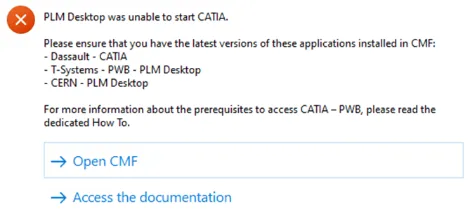
How to get started with CATIA / PLM at CERN
How to get started with CATIA / PLM at CERN Please follow the necessary training before using the PLM. You can access the training and learning path here, this will help you identify what training is necessary for you depending on your previous experience and knowledge. Training on the CATIA-PLM connector (PWB) is a prerequisite
-
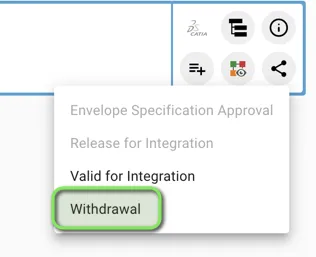
How to create and launch the Withdrawal workflow? (Withdrawn state)
How to create and launch the Withdrawal workflow? (Withdrawn state) The Withdrawal Workflow can be created from the Profile Card of Parts, CAD Documents and Documents. You can then generate the "Precondition Report" that checks the following pre-requirements: 1. You must hold at least one of the following Roles in the Design Code set on