
Category: How To
-

How to search for elements in a CATIA model?
How to search for elements in a CATIA model? In the document below you will find a detailed explanation of how to search for components in CATIA. Search elements
-
How to create a video from CATIA and edit it after?
How to create a video from CATIA and edit it after? For presentations or tutorials, it may be useful to make a video from Catia. What are the integrated tool possibilities, and how do you set them up? Before starting, it is advisable to choose white as the background color and to avoid yellow for
-
What to do when a CATIA model is having unexpected behaviour?
What to do when a CATIA model is having unexpected behaviour? Below in the document there are a few steps to debugging CATIA models. Be careful, make sure that the “Save” operation worked well before to close SmarTeam and Catia V5. If “YES” have a look on following advise below: In case of doubt ➞
-
What are the available CATIA Workbenches at CERN?
What are the available CATIA Workbenches at CERN? This FAQ presents the list of available CATIA workbenches at CERN. Available CATIA Workbenches
-
How to compare 2 different revisions of a document?
How to compare 2 different revisions of a document? Please note the FAQ referred to in this how-to is under review. The first 3 sections of this FAQ refer to the methodology for Smt. For the required methodology for the PLM please refer to page 19 of this FAQ . Section 4 is relevant for
-
What are the prerequisites to respect when designing something for CERN?
What are the prerequisites to respect when designing something for CERN? The document below lists the requirements to be respected by the CERN contractors*, in terms of CATIA methodology. This is applicable only if the contractor works with the same CATIA Version and Release than CERN. What are the prerequisites to respect when designing something
-
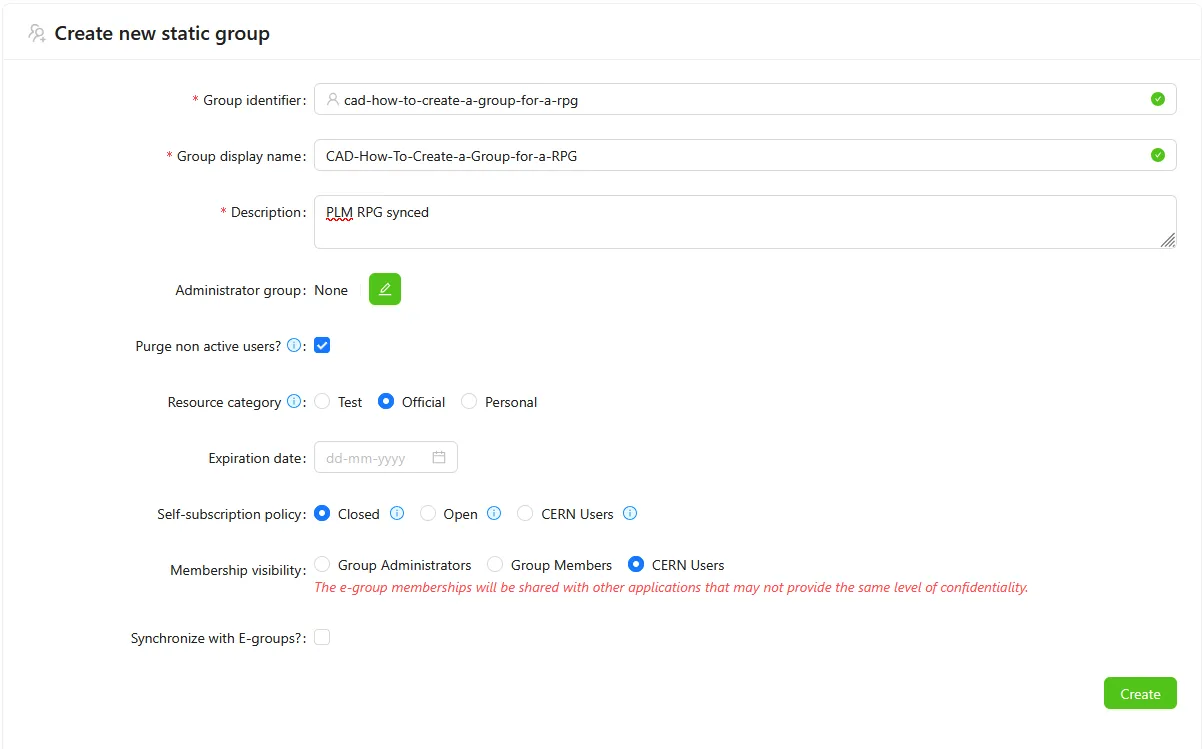
How to create an GMS group for an RPG synchronisation?
How to create an GMS group for an RPG synchronisation? If you have to create a group with the GMS application to sync it with a PLM Responsible Project Group (RPG), here are the steps to follow and the rules to respect: Use a name starting by "CAD-" with no space and with a maximum
-
What should be done before departing CERN?
What should be done before departing CERN? Note this FAQ is under review as it references Smt terminologies. However, the general advice remains the same, please unclaim your objects and assign a Design Code or RPG to allow others to continue using your work. To ease the collaborative work with SmarTeam, there are some steps
-
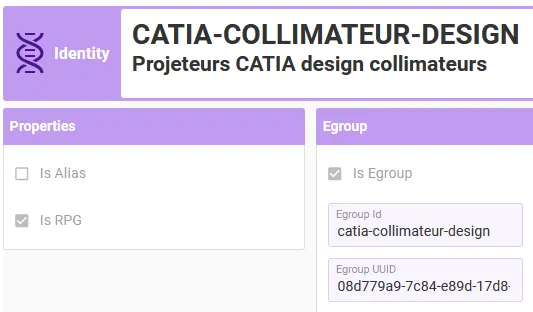
How to add or remove people from a Responsible Project Group (RPG)?
How to add or remove people from a Responsible Project Group (RPG)? The PLM Responsible Project Groups (RPG) are in most of the cases synchronised with GMS groups (former “e-groups”). These can be managed by users on their own, without assistance from CAD/PLM support, using the GMS application. Access the Profile Card of the RPG