
Tag: CATIA – CATPart
-
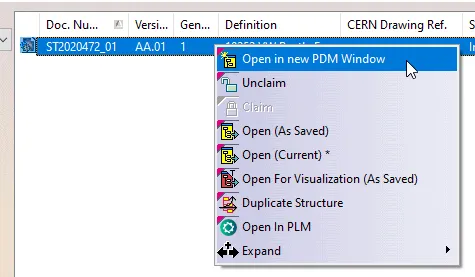
How to Open a structure in context (partial loading)?
How to Open a structure in context (partial loading)? In the PWB it is possible to open on demand only certain selected nodes of the PDM structure in CATIA. This may be useful when you only need to load a specific set of nodes from a heavy model, but would like to save it in
-
Subgroup: Other
Subgroup: Other Below are the remaining How-to's that are not present in other subgroups in the CATIA – CATPart subcategory. Click on their links to find more information on these topics. General:
-
Subgroup: Open/Save
Subgroup: Open/Save Below is a group of How-to's that are related to the topic of 'Open/Save' in the CATIA – CATPart subcategory. Click on their links to find more information on these topics. General: PLM Related:
-
Subgroup: Sketcher
Subgroup: Sketcher Below is a group of How-to's that are related to the topic of 'Sketcher' in the CATIA – CATPart subcategory. Click on their links to find more information on these topics. General:
-
Subgroup: Solid Modelling
Subgroup: Solid Modelling Below is a group of How-to's that are related to the topic of 'Solid Modelling' in the CATIA – CATPart subcategory. Click on their links to find more information on these topics. General:
-
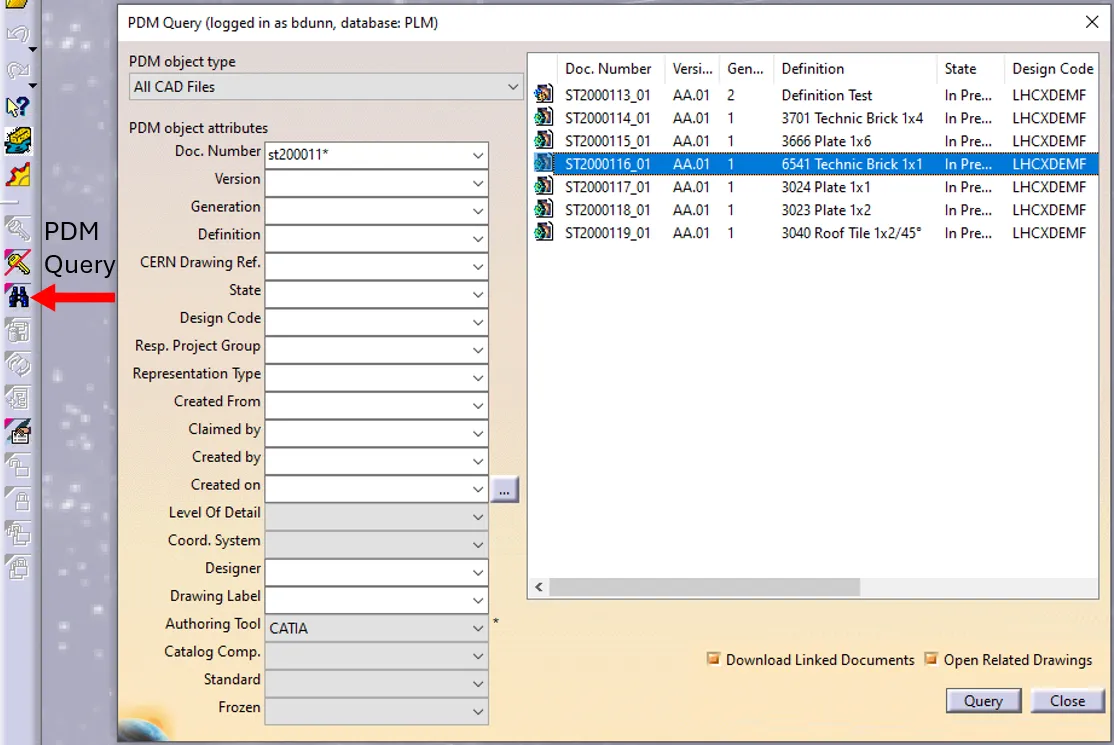
How to open a CAD document from CATIA using the connector?
How to open a CAD document from CATIA using the connector? In CATIA, from the connector toolbar, clicking on the Query icon, you will be able to access the PDM Query dialog and to search for any CAD document previously uploaded to the PLM platform. Once the searched CAD Document has been found and selected,
-
How to open a CAD document from the PLM?
How to open a CAD document from the PLM? Any CATIA document saved in the PLM platform can be opened from there directly in CATIA. There are various methods, see below: See the ‘Opening’ subgroup for related information See more: Open CAD Document in CATIA
-

How to open a 3D from the corresponding 2D in CATIA?
How to open a 3D from the corresponding 2D in CATIA? Often enough, there is a need to switch between a 2D opened in CATIA to its corresponding 3D. In order to facilitate and quicken this task, it is possible to open the 3D directly from the 2D. To know more about this procedure, please
-
How to create a variant without any impact on the original instance?
How to create a variant without any impact on the original instance? In an assembly, it is possible to duplicate a part or a product in order to create a variant without the original instance is impacted or even replaced with the new in the current session. There are few steps how to do it
-
How to define a cylinder diameter according to a standard thread?
How to define a cylinder diameter according to a standard thread? The following document will give you explanation which diameter for which thread should be used. Which diameter for which thread