
Tag: CATIA – General
-
Subgroup: Open/Import
Subgroup: Open/Import Below is a group of How-to's that are related to the topic of 'Open/Import' in the CATIA – General subcategory. Click on their links to find more information on these topics. General: PLM Related:
-
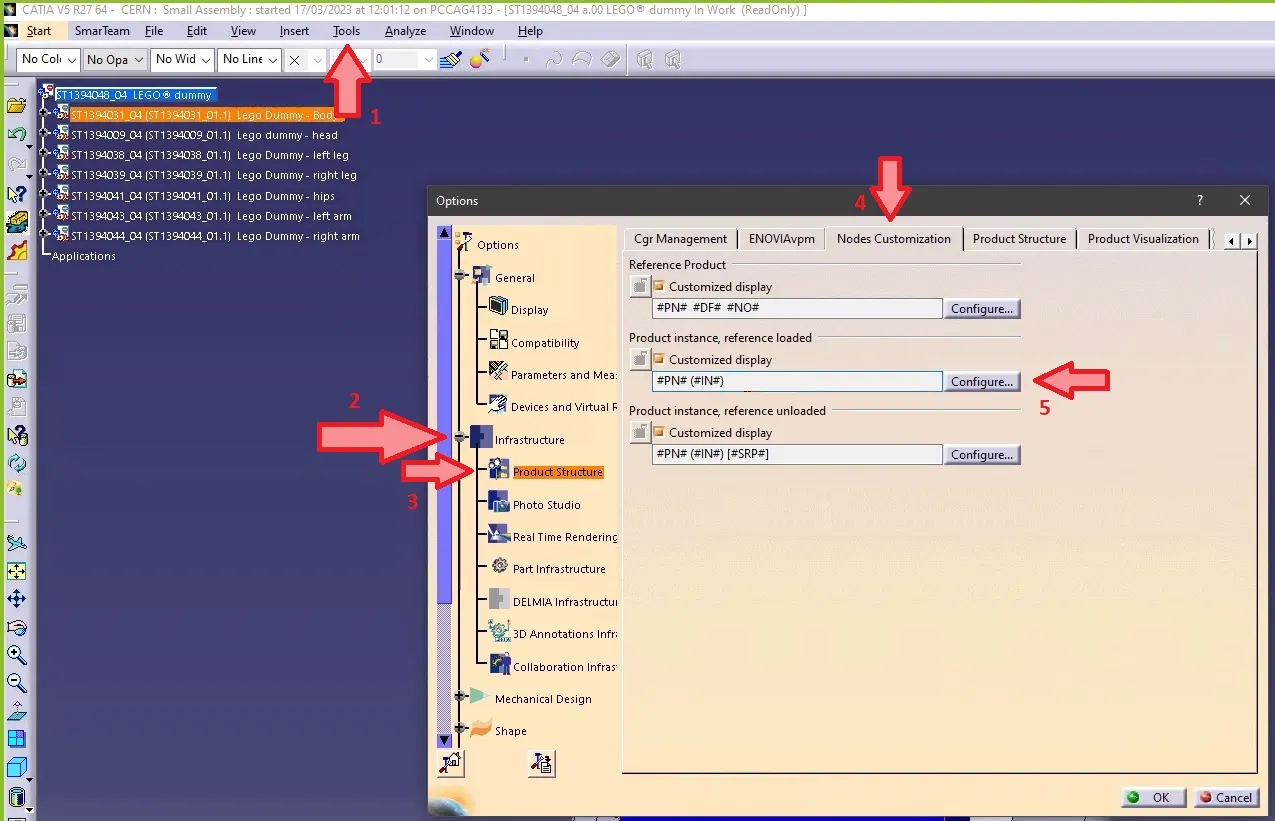
How to make the definition visible in CATIA tree when working with files not stored in PLM?
How to make the definition visible in CATIA tree when working with files not stored in PLM? Note 1: if in the same CATIA session, you visualize another product structure from the PLM, the Definition will appear twice. Note 2: if you want to keep this setting by default for your future CATIA sessions, you
-
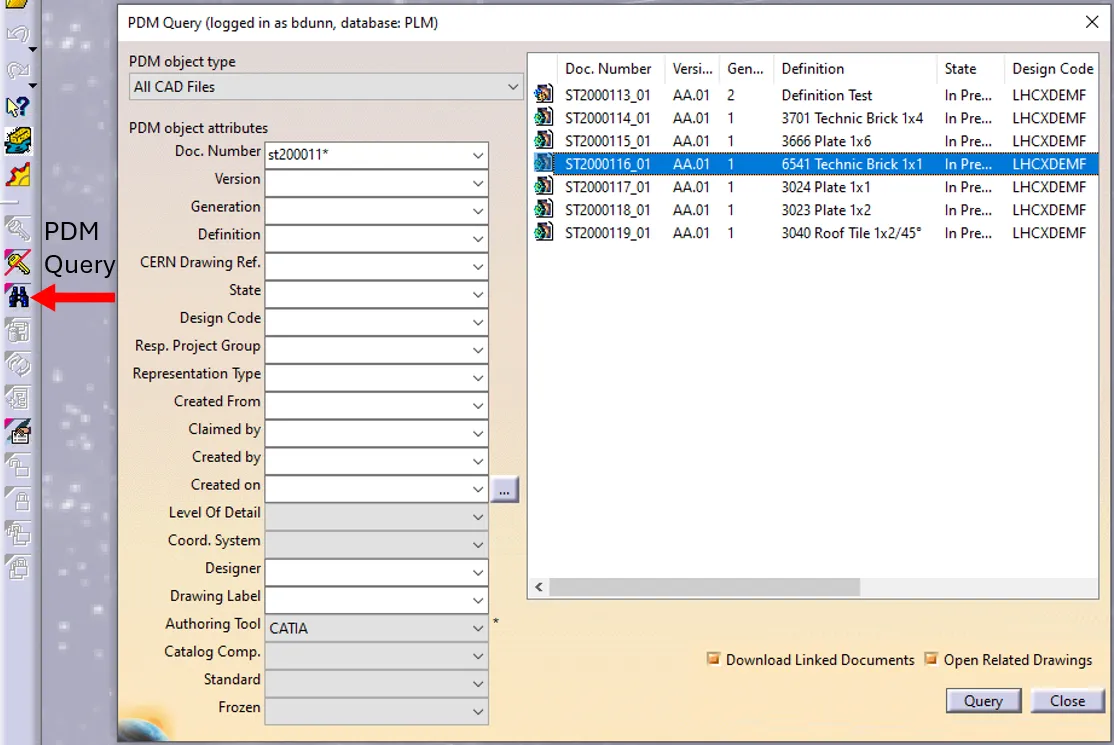
How to open a CAD document from CATIA using the connector?
How to open a CAD document from CATIA using the connector? In CATIA, from the connector toolbar, clicking on the Query icon, you will be able to access the PDM Query dialog and to search for any CAD document previously uploaded to the PLM platform. Once the searched CAD Document has been found and selected,
-
How to open a CAD document from the PLM?
How to open a CAD document from the PLM? Any CATIA document saved in the PLM platform can be opened from there directly in CATIA. There are various methods, see below: See the ‘Opening’ subgroup for related information See more: Open CAD Document in CATIA
-
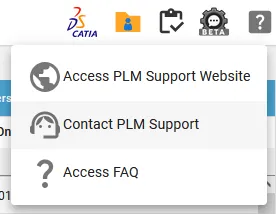
Who to contact for support?
Who to contact for support? For support, please send an email to plm-support@cern.ch. A request will be automatically created in the Service-Now Platform. For urgent/blocking issues, please call the hotline: 160660 For CAD designers, it is also possible to report an issue from the PLM desktop application. This way, the request created in Service Now
-
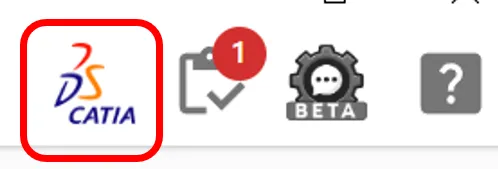
How to access CATIA via the PLM?
How to access CATIA via the PLM? To access CATIA via the PLM please press the CATIA icon in the top right of the dashboard screen. Access to the CATIA connector is granted on request, therefore if you have not already done so please complete this form to work with CATIA. Prior to granting you
-

How to open a 3D from the corresponding 2D in CATIA?
How to open a 3D from the corresponding 2D in CATIA? Often enough, there is a need to switch between a 2D opened in CATIA to its corresponding 3D. In order to facilitate and quicken this task, it is possible to open the 3D directly from the 2D. To know more about this procedure, please
-
Why the instance names do not have the same number as the instance name?
Why the instance names do not have the same number as the instance name? To study this problem, please follow the document below. Updating Instance Names
-
How to save a point of view in one assembly?
How to save a point of view in one assembly? In the following document there is an example that will show you step by step how to save it. Point of view in Assemblies
-
How to avoid creating large size Assemblies?
How to avoid creating large size Assemblies? We consider Large Size Documents these ones that have a size of more than 106 bytes (~1Mb). To avoid increase of the file size, you should follow these rules: To learn more how to work with large documents, please open the following document. Large Size Assemblies