
Tag: CATIA – General
-
How to check if a document is ‘current’?
How to check if a document is ‘current’? Its important to know if your CAD structure contains 'non latest' versions of CAD Documents, especially if you need to work with the latest data, while the latest data might be available in SmarTeam only. Within the PLM and CATIA connector there are various ways you can
-
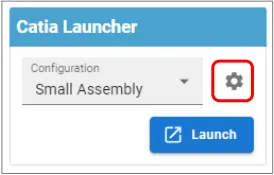
How to save customised CATIA & PWB settings?
How to save customised CATIA & PWB settings? CATIA customised settings, such as shortcuts, can be saved in the PLM dashboard to be used when CATIA is reopened. This is also true for PWB setting changed in the options toolbar. To save new customised settings, close the CATIA session in which the changes were made.
-
What are the meanings of the CATIA & PLM Icons?
What are the meanings of the CATIA & PLM Icons? Icons are used throughout the PLM and in the CATIA specification tree to quickly convey information. See the documentation below to find the explanation of each icon. More: FAQ
-
How is metadata managed between the PLM and CATIA?
How is metadata managed between the PLM and CATIA? A CAD document is made up of data, metadata. Some of this comes from CATIA such as the geometry, mass and material. Some of it comes from the PLM, Design code and RPG. Two pieces of metadata can be changed in both the PLM and CATIA,
-
What are the CATIA Acronyms?
What are the CATIA Acronyms? Below is a list of acronyms that are used in relation to CATIA. See the list of PLM Acronyms here. See the list of SmarTeam Acronyms here.
-
How to save a new CAD document in the PLM from CATIA?
How to save a new CAD document in the PLM from CATIA? The first part of the FAQ linked below will show you a quick method of saving a CAD document without dependencies, like a CATPart. The second, more detailed section will describe how to save a structure where the files are linked to each
-
Subgroup: Other
Subgroup: Other Below are the remaining How-to's that are not present in other subgroups in the CATIA – General subcategory. Click on their links to find more information on these topics. General: PLM Related:
-
Subgroup: Best Practices
Subgroup: Best Practices Below is a group of How-to's that are related to the topic of 'Best Practices' in the CATIA – General subcategory. Click on their links to find more information on these topics. General: PLM Related:
-
Subgroup: Views & Positioning
Subgroup: Views & Positioning Below is a group of How-to's that are related to the topic of 'Views & Positioning' in the CATIA – General subcategory. Click on their links to find more information on these topics. General:
-
Subgroup: Print/Export/File Type
Subgroup: Print/Export/File Type Below is a group of How-to's that are related to the topic of 'Print/Export/File Type' in the CATIA – General subcategory. Click on their links to find more information on these topics. General: