
Tag: CATIA – Drafting
-

How to change the view generation mode?
How to change the view generation mode? To edit this properties go to the Drawing and right-click on the frame, then select "Properties". Scroll down in the new window and look for the section "Generation Mode". Below you can find the "View generation mode" and from there you can choose CGR or Approximate view. To
-
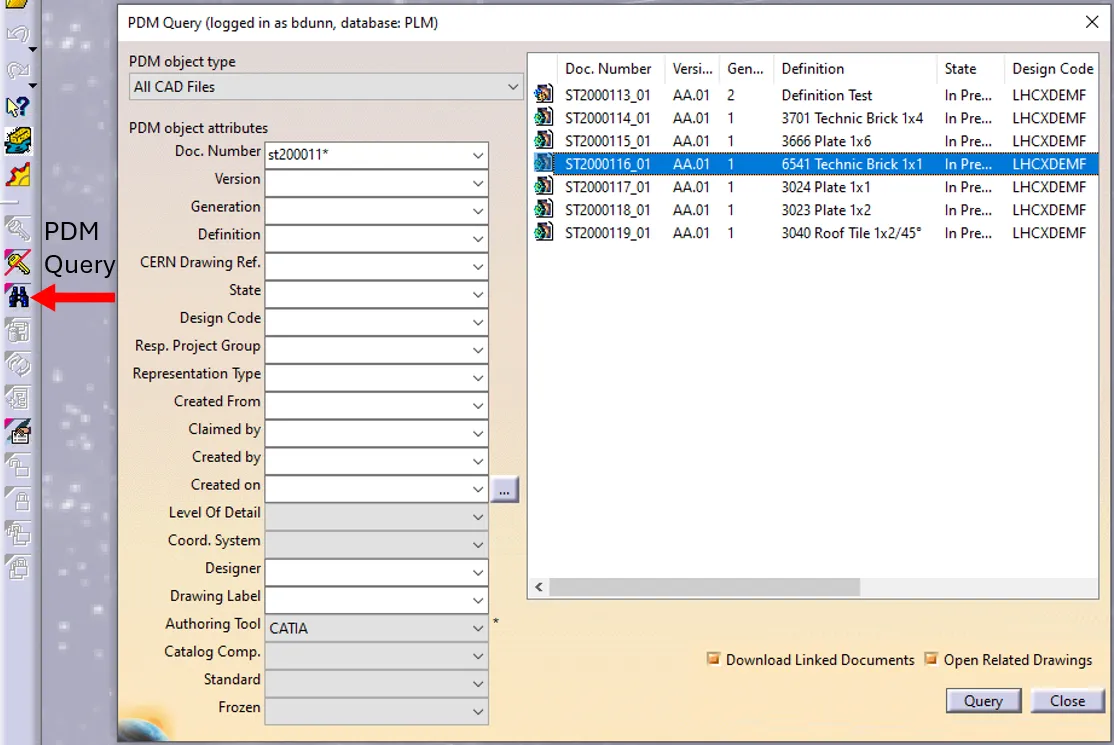
How to open a CAD document from CATIA using the connector?
How to open a CAD document from CATIA using the connector? In CATIA, from the connector toolbar, clicking on the Query icon, you will be able to access the PDM Query dialog and to search for any CAD document previously uploaded to the PLM platform. Once the searched CAD Document has been found and selected,
-
How to open a CAD document from the PLM?
How to open a CAD document from the PLM? Any CATIA document saved in the PLM platform can be opened from there directly in CATIA. There are various methods, see below: See the ‘Opening’ subgroup for related information See more: Open CAD Document in CATIA
-
How to open a 3D from the corresponding 2D in CATIA?
How to open a 3D from the corresponding 2D in CATIA? Often enough, there is a need to switch between a 2D opened in CATIA to its corresponding 3D. In order to facilitate and quicken this task, it is possible to open the 3D directly from the 2D. To know more about this procedure, please
-
How to generate an “Out of Format Drawing” (bigger than A0)?
How to generate an “Out of Format Drawing” (bigger than A0)? The document below is only applicable to the Integration team. For the other users, if an A0 sheet is too small, please follow this link: CLICK. Out of Format Drawing
-
How to create multiple orthogonal leaders in a CATIA drawing?
How to create multiple orthogonal leaders in a CATIA drawing? Due to a limitation in CATIA V5 it is impossible for users to place multiple orthogonal leaders for geometrical tolerances. The workaround consists in: Each time you want to adjust the perpendicularity of the leader created via the breakpoint, move it with pressed down Shift
-
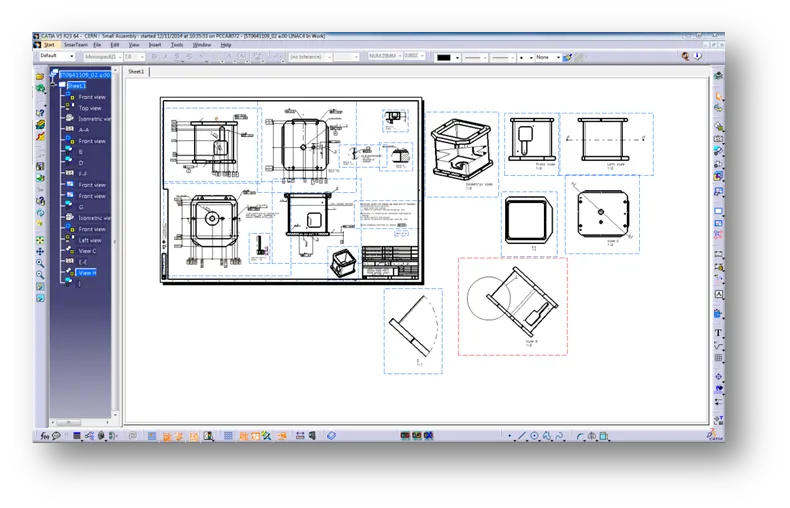
How to manage drawings with several sheets in PLM?
How to manage drawings with several sheets in PLM? Whilst the PLM is not able to support the multi-sheet drawings, here is the procedure to follow if you have a design that doesn’t fit only in one sheet of the drawing: Note: the procedure refers to CATIA, but it can be applied for other CAD
-
What is the solutions to the problems with large file size drawing?
What is the solutions to the problems with large file size drawing? A drawing can be called “too large” when the native file size is a number with more than 6 digits. Unfortunately, there is not a perfect solution but in the document below there are different methods and options that depending on each case
-
How to add an intersection point in a drawing?
How to add an intersection point in a drawing? In some cases, you can use in the "Tools Palette" and it can be recognized during the creation of the dimensions. It is always possible to add these points manually and after using them, create the dimensions. The blue lines and the intersection points are not
-
How to create a “Hole Dimension Table”?
How to create a “Hole Dimension Table”? To know more about the dialog box and what to type or select, please check the following document. Hole Dimension Table