
Category: How To
-

Why the instance names do not have the same number as the instance name?
Why the instance names do not have the same number as the instance name? To study this problem, please follow the document below. Updating Instance Names
-
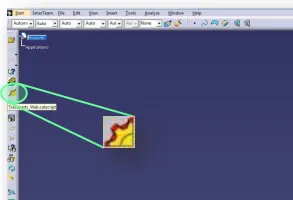
How to use the new TRACEPARTS Web V3?
How to use the new TRACEPARTS Web V3? To launch the TRACEPARTS Web from CATIA, click on the Icon: This will open thee web page with list of companies’ logos. To find the component that you are looking for select the main filter or the starting letter of your desired category. You can also skip
-
How to use “Scenes” to create a mounting or welding sequence?
How to use “Scenes” to create a mounting or welding sequence? The scene tool in the “Assembly Design” workbench allows you to create multiple states of your model. By doing so, it enables you to study a variant of your assembly by defining specific component positions and specific attributes. The following document covers the main
-
How to work with “Scenes”?
How to work with “Scenes”? A "Scene" is an alternative view of an assembly in a defined state. It enables you to study a variant of your Assembly by defining specific component positions and specific attributes. Please follow the document below to understand more details. Scenes
-
How to use the “Replace Component” command?
How to use the “Replace Component” command? If you don't have an icon "Replace Component" in CATIA tools, find it this way: The following document will show you more information about this function. Replace Component command
-
How to use “Positioning Matrices”?
How to use “Positioning Matrices”? A positioning Matrix allows to place a component (Part, Component, Product) in space, relative to a higher component level, which will contain this matrix. If you want to understand more details, please click on the following document. Positioning Matrices
-
How to save a point of view in one assembly?
How to save a point of view in one assembly? In the following document there is an example that will show you step by step how to save it. Point of view in Assemblies
-
How to modify a “Fix Component Constraint”?
How to modify a “Fix Component Constraint”? If you want to know more, please check the document below. Modifying Fix Component Constraint
-
What are the main features of the CATIA DMU Optimizer workbench?
What are the main features of the CATIA DMU Optimizer workbench? The "DMU Optimizer" is a product dedicated to improve users' productivity by computing an optimized geometrical representation of data for mockup verification in the context of the immersive and collaborative design review environment of the full digital mockup. To access the "DMU Optimizer" workbench,
-
How to avoid creating large size Assemblies?
How to avoid creating large size Assemblies? We consider Large Size Documents these ones that have a size of more than 106 bytes (~1Mb). To avoid increase of the file size, you should follow these rules: To learn more how to work with large documents, please open the following document. Large Size Assemblies