
Tag: SmarTeam to PLM transition
-
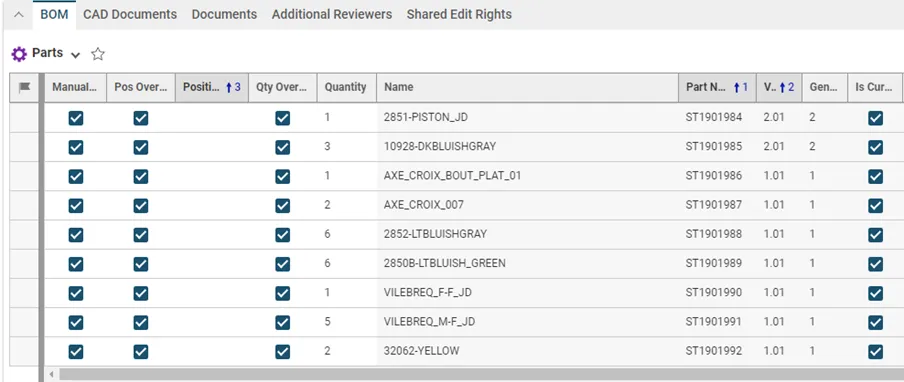
How to handle the BOM update of a SmarTeam to PLM migrated CAD structure?
How to handle the BOM update of a SmarTeam to PLM migrated CAD structure? Usually, when working with CATIA and the PLM, the Bill Of Materials is updated automatically after each CATIA save via the PWB connector (e-BOM sync). This is the case for all new CAD Documents created and modified in the PLM. However,
-
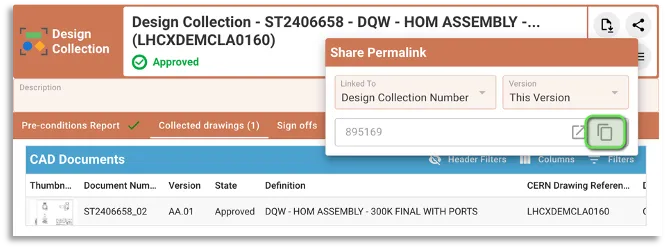
How to manage EDMS Drawing Folders with Design Collections ?
How to manage EDMS Drawing Folders with Design Collections ? The “Design Collection” functionality in PLM has been introduced to replace the EDMS Drawing Folders functionality. However it is still possible to use an EDMS Drawing Folder together with a PLM design collection as described hereafter. Detailed information about the PLM functionality can be found
-
How to find the PLM local supporters?
How to find the PLM local supporters? During the SmarTeam to PLM transition, a number of your already experienced colleagues will have the mandate as local supporters and some time dedicated to help you get started. To find your closest local supporter, please see the list following this link.
-
PLM/PWB/CAD known issues and workarounds
PLM/PWB/CAD known issues and workarounds There are some known issues when working with the PLM and PWB CATIA connector. Whilst we are working on a resolution we have documented them at the link here, along with our suggested workarounds. We have also documented any known CAD issues and potential workarounds. These have been reported to
-
Subgroup: Troubleshooting/Specific Use Cases
Subgroup: Troubleshooting/Specific Use Cases Below is a group of How-to's that are related to the topic of 'RFC in PLM Troubleshooting/Specific Use Cases' in the SmarTeam to PLM transition category. Click on their links to find more information on these topics.
-
How do the CATIA-PLM icons compare to the CATIA-SmarTeam icons?
How do the CATIA-PLM icons compare to the CATIA-SmarTeam icons? To help with the transition from SmarTeam to PLM, we have put together a comparison between the different Specification tree icons. Some have remained the same, but others have changed or are new. Also note, previously with SmarTeam, the icons were viewable on both assemblies
-
Subgroup: Other
Subgroup: Other Below are the remaining How-to's that are not present in other subgroups in the SmarTeam to PLM transition category. Click on their links to find more information on these topics.
-
How to access the PLM training?
How to access the PLM training? Before working in the PLM please follow the available training material depending on your usage and requirements. The trainings can be found here.
-
Subgroup: View SmT Documents in PLM
Subgroup: View SmT Documents in PLM Below is a group of How-to's that are related to the topic of 'View SmT Documents in PLM' in the SmarTeam to PLM transition category. Click on their links to find more information on these topics.
-
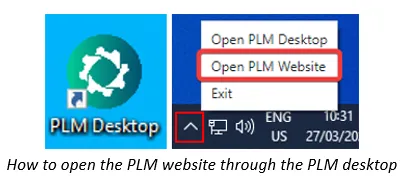
How to search and visualise files of SmarTeam CAD Documents in the PLM Platform?
How to search and visualise files of SmarTeam CAD Documents in the PLM Platform? To locate, view or open files of SmarTeam(ST) CAD Documents through the PLM platform, follow the subsequent steps. 1. Optional prerequisite to enable the opening of STEP files of ST CAD Document directly into SpinFire Ultimate: Install the software below from