
Tag: CATIA – Catalog
-
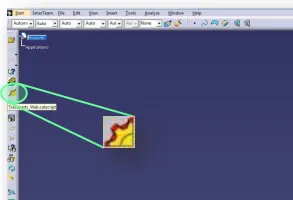
How to use the new TRACEPARTS Web V3?
How to use the new TRACEPARTS Web V3? To launch the TRACEPARTS Web from CATIA, click on the Icon: This will open thee web page with list of companies’ logos. To find the component that you are looking for select the main filter or the starting letter of your desired category. You can also skip
-

How to add stickers in a drawing?
How to add stickers in a drawing? Stickers are reusable drafting components that contain 2D geometries and text. To add a sticker, follow these steps: For more, please check the link which is below. Stickers
-
How to get the material and the mass in the parts?
How to get the material and the mass in the parts? To get the mass in a CATPart it’s important to put the material in the correct place in the document. The correct place to put the material is in the Part (and NOT in the PartBody). It’s important to follow this rule since the
-
How to proceed with the change of material naming in CATIA?
How to proceed with the change of material naming in CATIA? It was decided by the "Metals Raw Materials" working group to use EDMS documents as material reference to define completely the special St. Steel materials. By this way CERN will have a unique reference that will be used by the designers and by the
-
How to create a good catalog 3D model?
How to create a good catalog 3D model? A catalog 3D model is a 3D model of a commercial component, and/or a normalized element, or a usual element widely used at CERN. There are four ways to get 3D models. Here is a guideline to help you in the creation process ➞ catia-catalogs@cern.ch. If you