
Tag: CATIA
-

How to change view link from whole assembly to a scene?
How to change view link from whole assembly to a scene? If you want to see step by step how to do it, please click on the link which is under. Changing View Link
-
How to display extra digits after the decimal separator on exact dimensions?
How to display extra digits after the decimal separator on exact dimensions? On a drawing, it is possible to display extra digits on the dimensions for specific purposes (e.g.: to highlight that a dimension has not been rounded on the drawing). If you want to know more this topic, please check the following document. Changing
-
How to create a “Center Line” oriented depending on a reference axis?
How to create a “Center Line” oriented depending on a reference axis? Center Line with References
-
How to resize separately the axis of a hole axis system?
How to resize separately the axis of a hole axis system? After the creation of an axis system or a thread using the "Axis and thread" functions, it is possible to resize this axis system. By default, if you drag one of the extremities, both axis will be resized. Holding the Ctrl button and dragging
-
How to create a dimension relying on a 3D point, projected in a view in approximate mode?
How to create a dimension relying on a 3D point, projected in a view in approximate mode? In CATIA, it is not possible in an approximate mode view to create a dimension relying on a 3D point created in the GSD workbench. The document below will show you which are the workarounds to this limitation.
-
Why the instance names do not have the same number as the instance name?
Why the instance names do not have the same number as the instance name? To study this problem, please follow the document below. Updating Instance Names
-
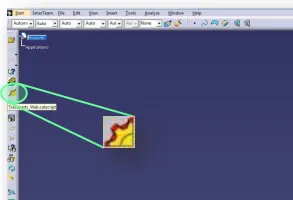
How to use the new TRACEPARTS Web V3?
How to use the new TRACEPARTS Web V3? To launch the TRACEPARTS Web from CATIA, click on the Icon: This will open thee web page with list of companies’ logos. To find the component that you are looking for select the main filter or the starting letter of your desired category. You can also skip
-
How to use “Scenes” to create a mounting or welding sequence?
How to use “Scenes” to create a mounting or welding sequence? The scene tool in the “Assembly Design” workbench allows you to create multiple states of your model. By doing so, it enables you to study a variant of your assembly by defining specific component positions and specific attributes. The following document covers the main
-
How to work with “Scenes”?
How to work with “Scenes”? A "Scene" is an alternative view of an assembly in a defined state. It enables you to study a variant of your Assembly by defining specific component positions and specific attributes. Please follow the document below to understand more details. Scenes
-
How to use the “Replace Component” command?
How to use the “Replace Component” command? If you don't have an icon "Replace Component" in CATIA tools, find it this way: The following document will show you more information about this function. Replace Component command