
How to update your drawing standard Open configuration options
Answer
With the CATIA R35 release the drawing standards have been updated. The new CERN standard is called ISO_CERN_05_R35.
To update existing drawings, go to File – Page set up and choose the new standard. Press OK on the following confirmation window.
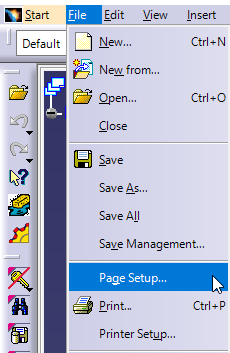
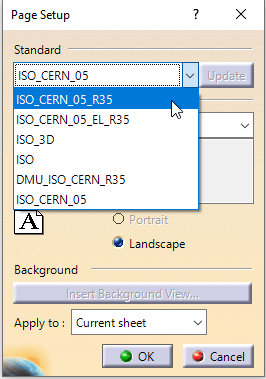
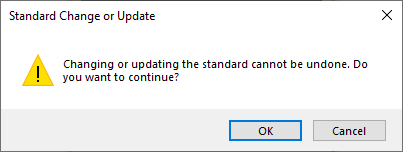
When should you update your drawing standard?
For most cases we recommend updating your drawing to benefit from the new standards. Please see the webinar slides to see the main changes to the drafting standard.
However, if you use the Surface texture or Welding symbols there are things to consider.
- Firstly, if you do not update your drawing to the new standard, you will see additional icons in addition to the options agreed with the GrACQ (see below). Some in the surface texture will also be missing.
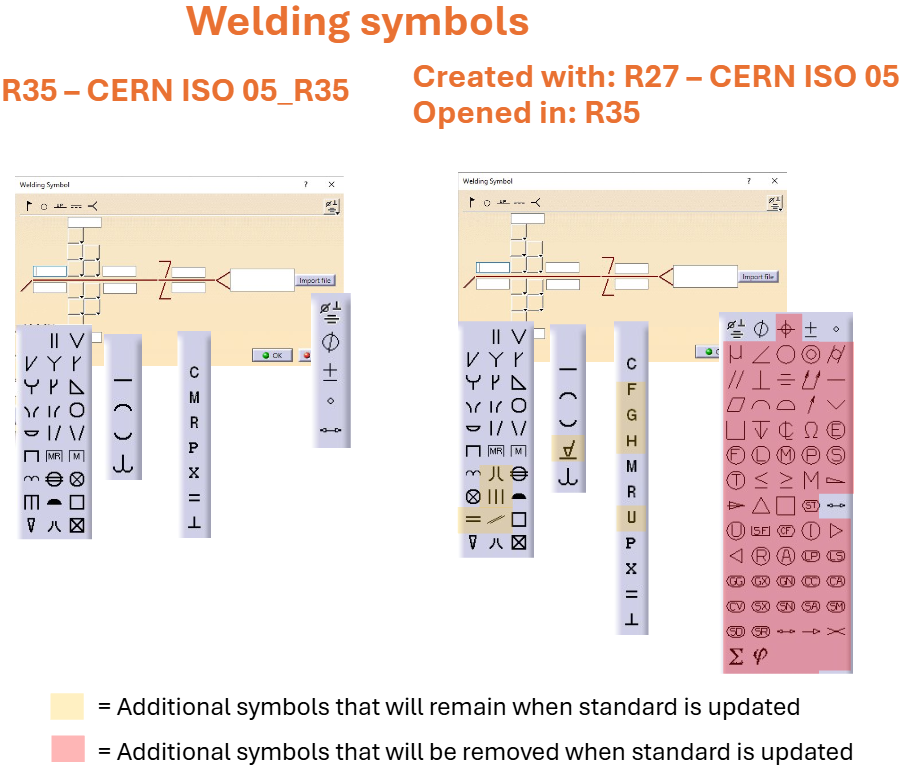
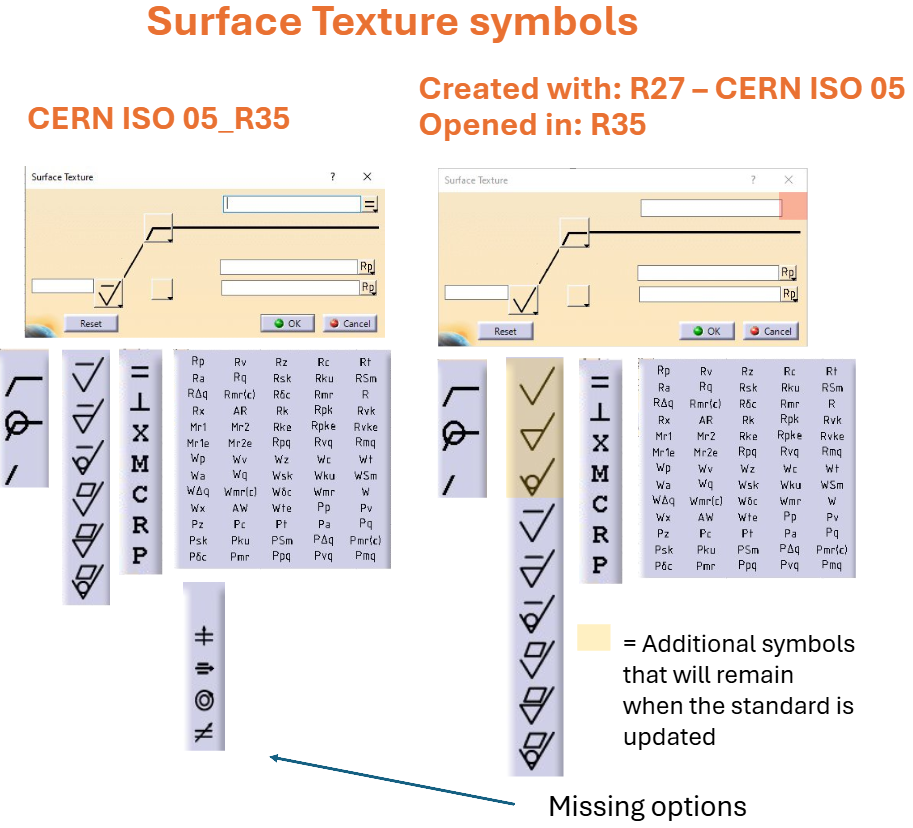
- If a drawing created in R27 is updated to the R35 standard, most symbols will remain and are not automatically removed. The drawing annotation can even be modified and updated, and the obsolete symbols will not be removed unless explicitly done so. The exception to this is the less/greater than or equal to symbols ≥ ≤ in the R27 welding menu. These are automatically replaced with * during the update process.
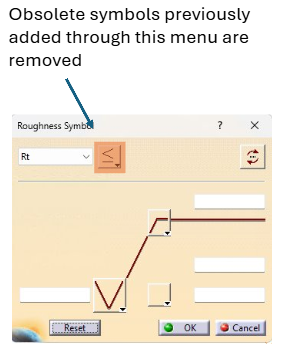
- If you open a R27 drawing, continue to modify it without updating the standard, and use the additional symbols highlighted above in red (that we have removed in R35 compared to the Out Of The Box config): when someone eventually updates the drawing to the R35 standard, the additional symbols will be removed and replaced with an *. The additional symbols in yellow do not get removed.