
How-To Trim Intersecting Sketch Profiles Using Boolean Operations
Answer
You can quickly remove parts of intersecting closed profiles by using Boolean trimming operations.
Steps
- Create a sketch
Create a sketch that contains two or more intersecting closed profiles. - Select the profiles
Select the profiles you want to trim. - Apply a Boolean operation
Right-click any of the selected profiles and choose:
Selected Objects > Add, Subtract, or Intersect
Note: the selected profile must be closed
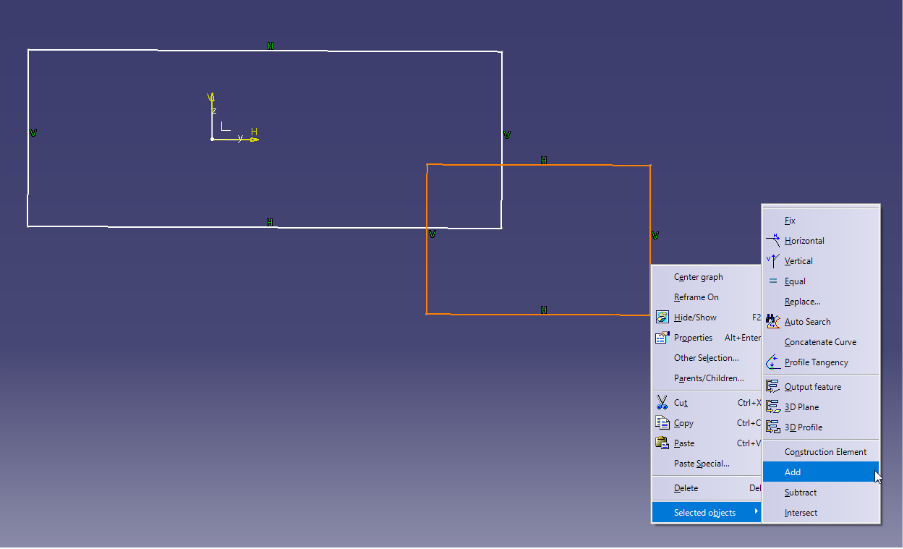
Commands and Results
- Add: Combines the selected profiles into one.
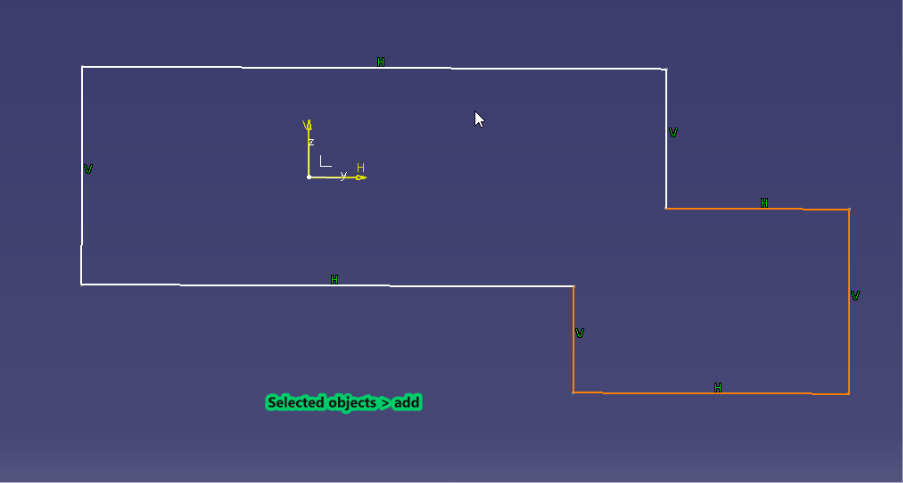
- Subtract: Removes the selected profile(s) from all unselected profile(s).
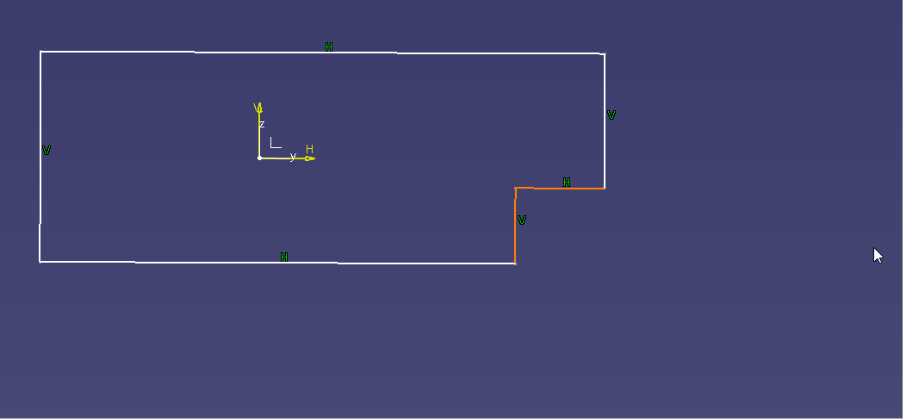
- Intersect: Keeps only the overlapping area of the profiles.
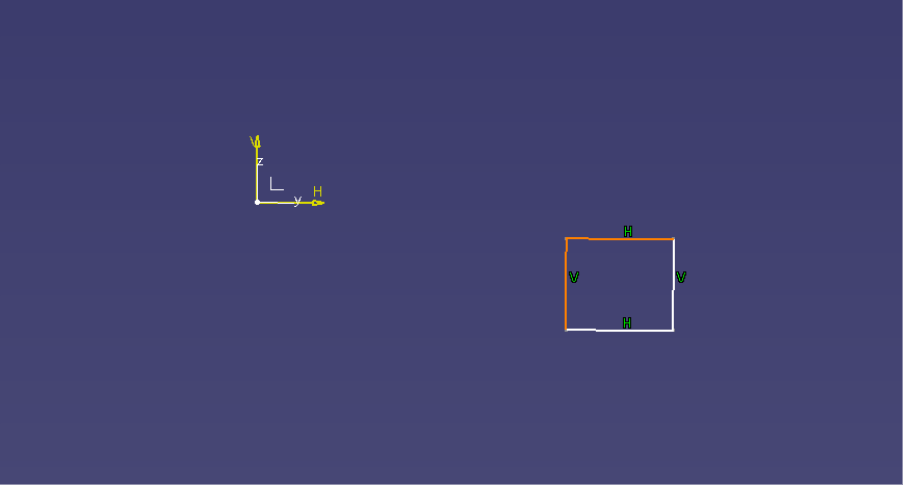
Notes
- Connect curves, conic curves, output features, and construction elements are not affected by Boolean trim commands.
- For multi-domain profiles, the Boolean operation is applied only to elements inside the profile.
- Elements that are two layers deep within a multi-domain profile are considered outside of the profile.