
How to search using the PLM dashboard?
The dashboard is the main page you will be greeted with when you open the PLM, it contains a search table.
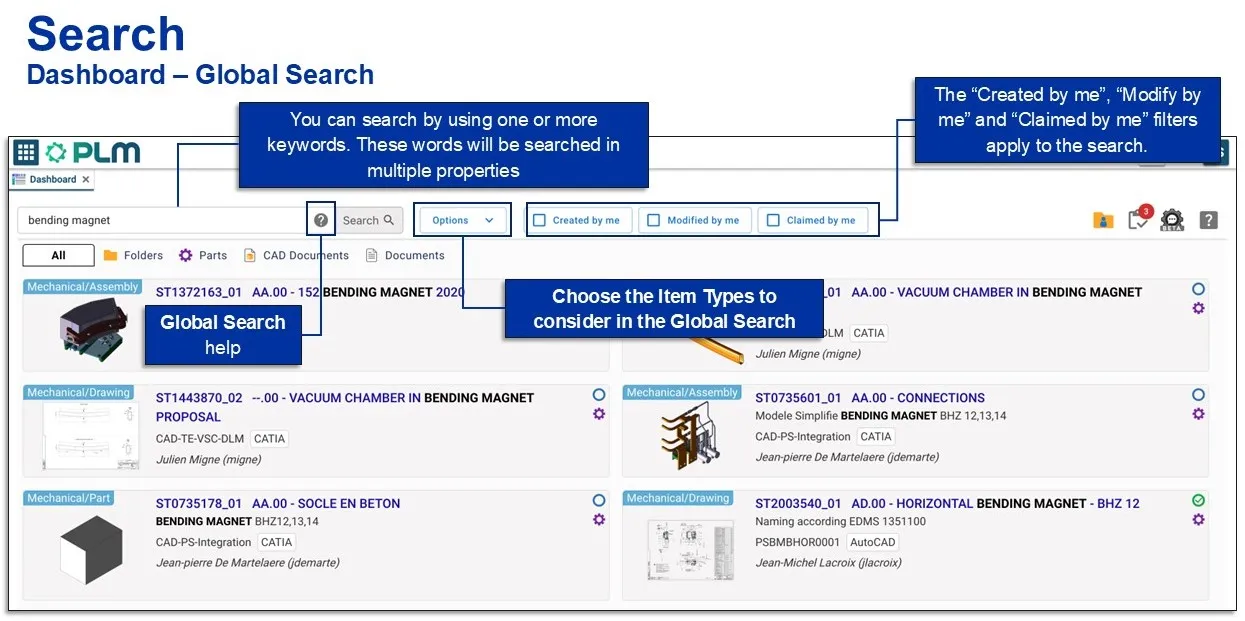
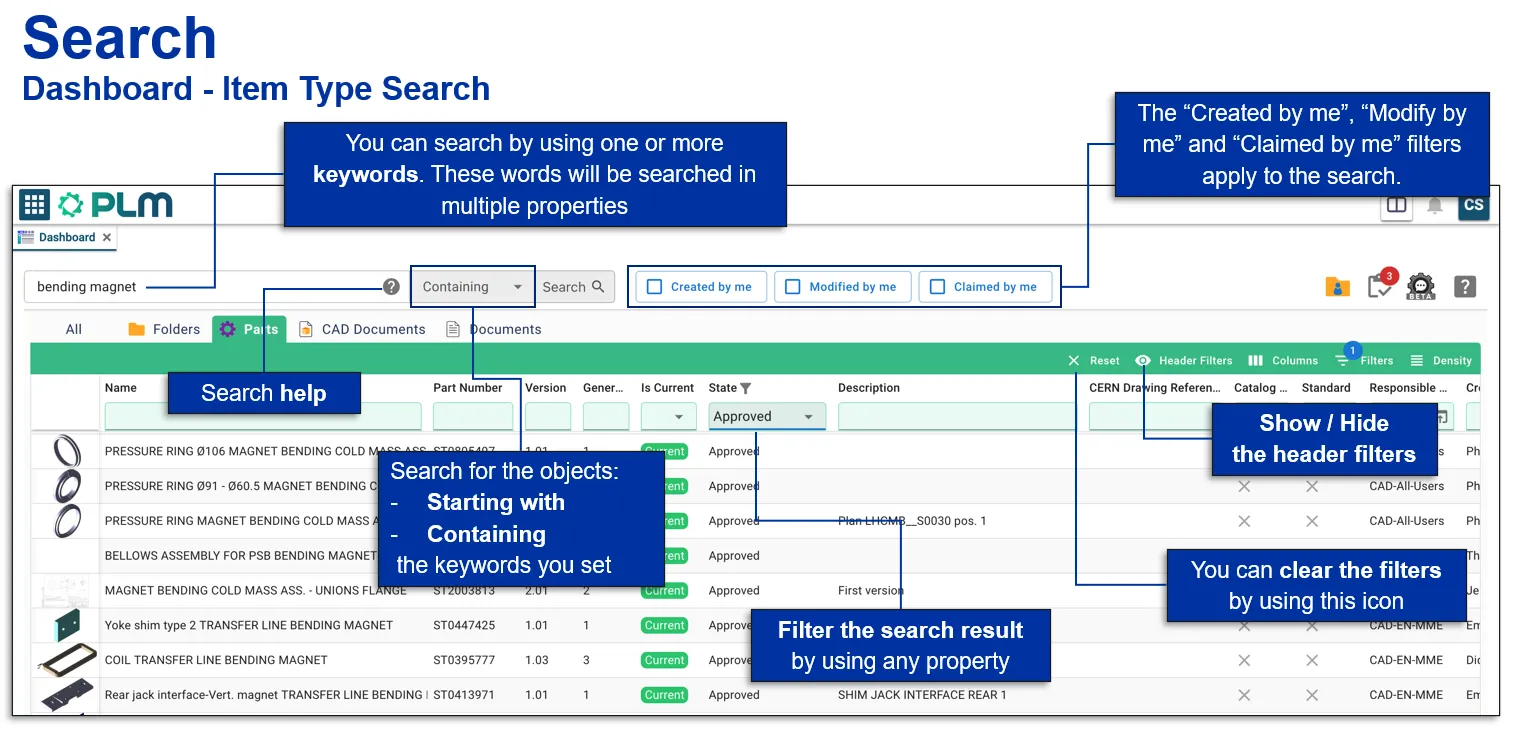
The images below explain the different options and filters you can use to enhance your search.
This page will search for all items types:
You can also narrow down the search straight away by selecting one of the specific item type tabs.

Search Navigation and preferences in the PLM
See other ‘searching’ how-tos here