How to print multiple drawings at once with PDF X-Change Editor?
To print multiple Drawings at once from your local folder in DFS, you need to:
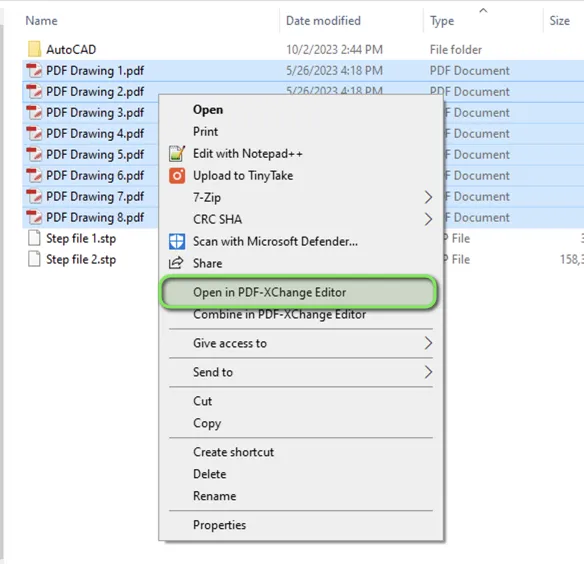
1. Access data in your DFS folder and select all the Drawings you need to print
2. Right-Click and select the option "Open in PDF-XChange Editor"
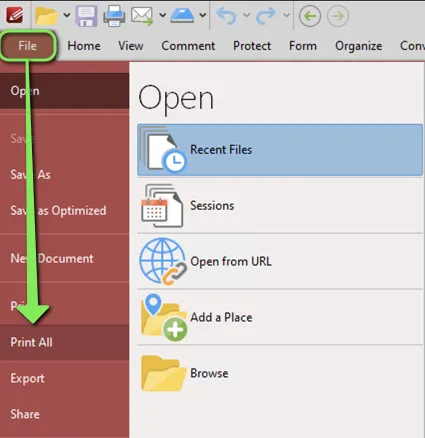
3. Once PDF-XChange Editor is open, select "File" –> "Print All"
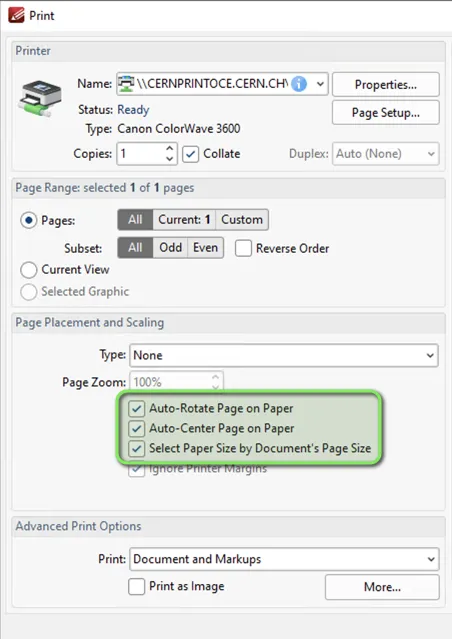
4. Before launching the plotting, make sure that:
- The plotter accepts the format of the Drawings you need to print out
- The highlighted properties are ticked/selected