
How to get the access rights in the Design Code?
PLM users can directly request Design Code access from the PLM platform through a dedicated access request interface.
- Open the Design Code for which access is required and click the new green “Request Access” button.
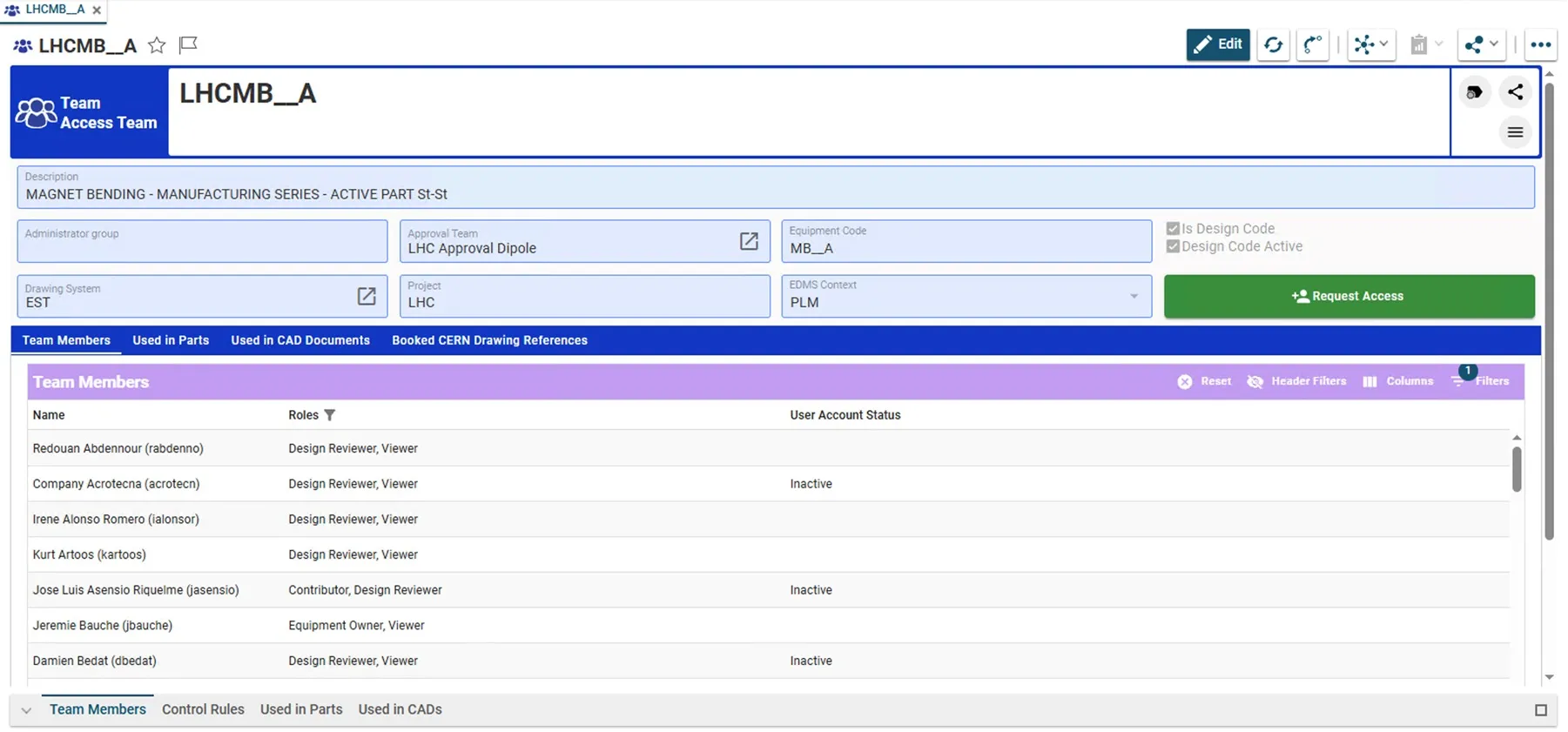
- x-tinymce/html Perform the access request for one role at a time.
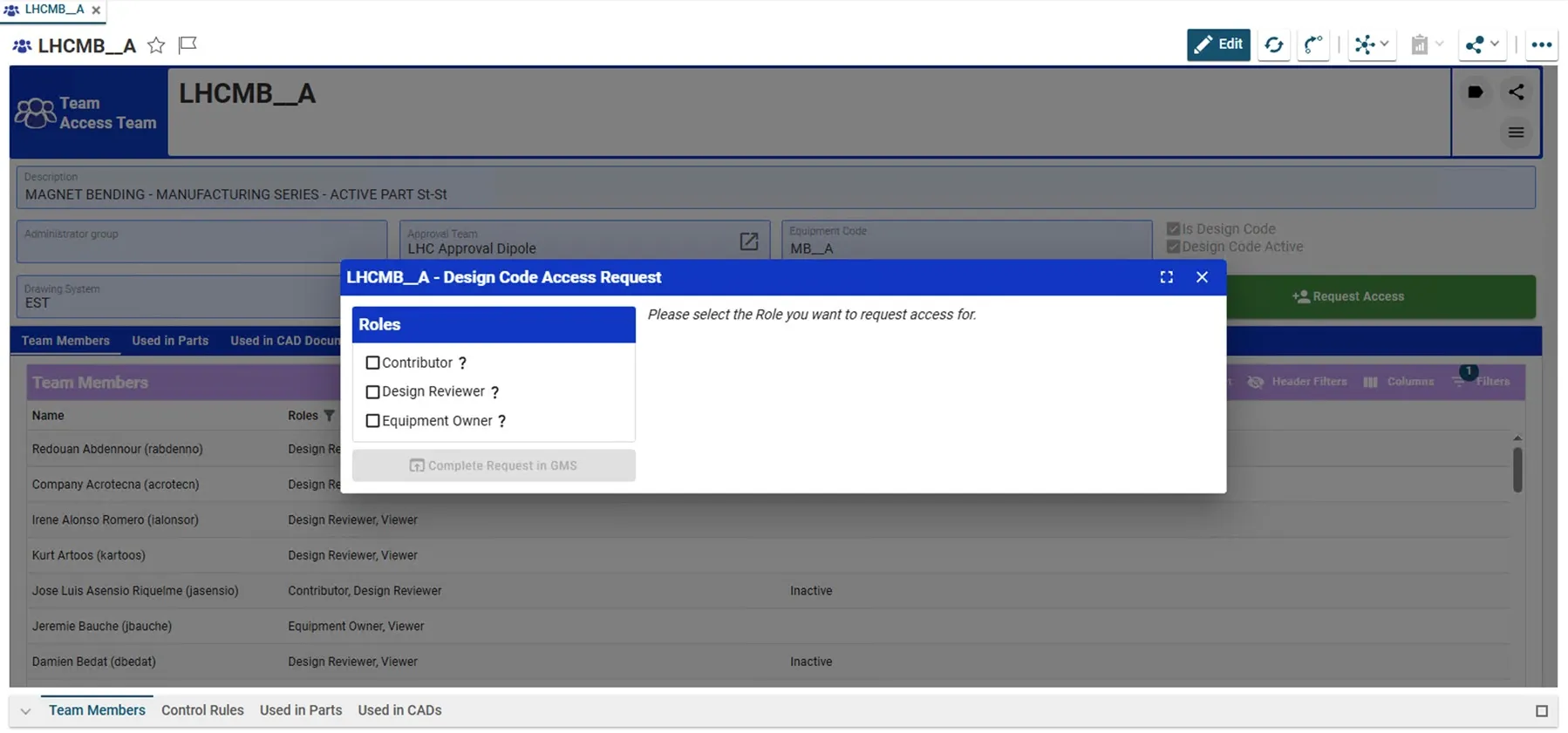
- x-tinymce/html If a “Role” is assigned to different Groups, it is needed to chose a specific one. As soon it is selected, the “Complete Request in GMS” button becomes available.
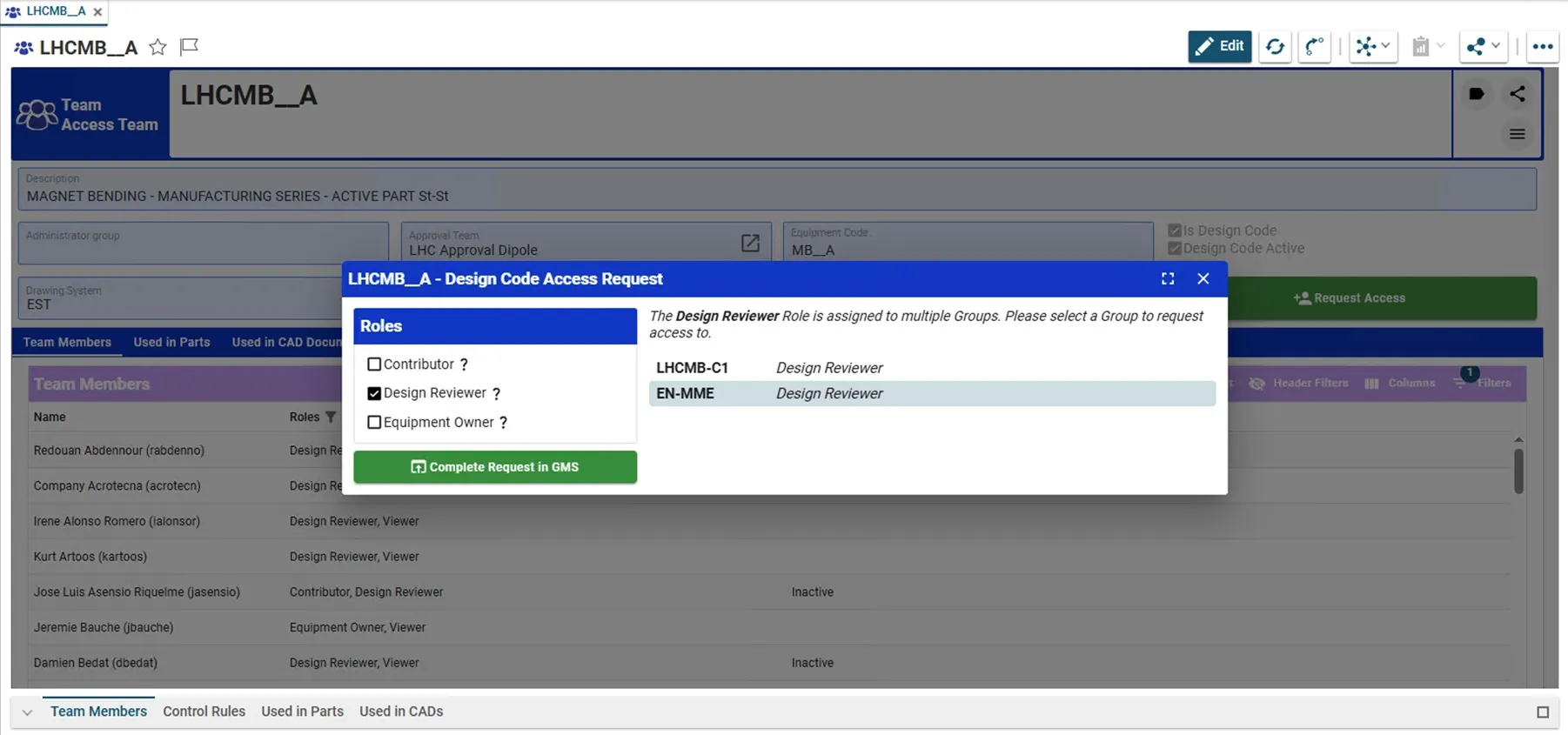
- It redirects you to the GMS website where you can subscribe to the group providing a justification.
The administrators of the group will be responsible for handling your request and you'll get notified by email as soon as a decision is taken.