
How to create Counterdrilled Holes with Countersunk Diameters in CATIA R35?
Answer
The enhanced Hole feature in CATIA R35 now allows you to create counterdrilled holes that directly include a countersunk diameter.
Using the Countersunk Diameter Mode
1. Open the Hole Definition dialog box in your part.
2. Navigate to the Type tab.
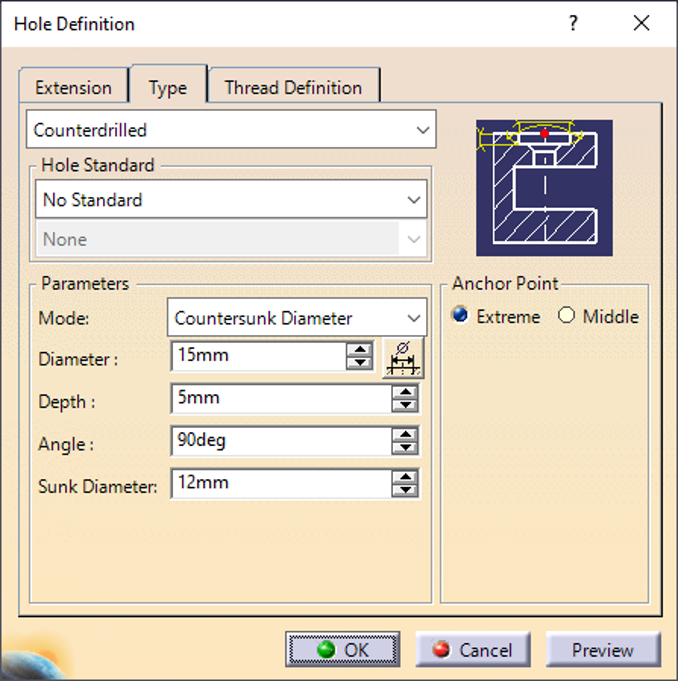
3. In the Mode drop-down list, select Countersunk Diameter.
4. Specify and modify your required parameters, such as the countersunk diameter, depth, and angle.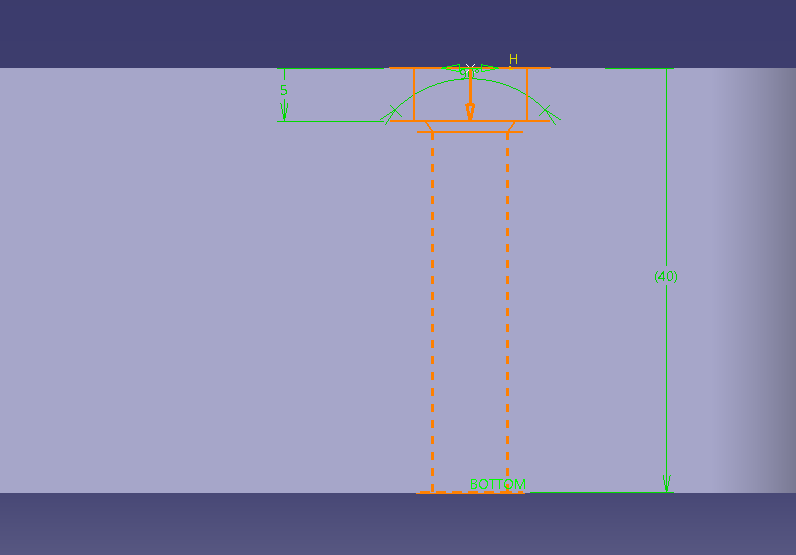
5. Click OK to generate the hole.